Routed ranges is the read-only network map produced from approved sites, device pools, Kubernetes VIPs, and DNS ownership. Use Sites to approve or remove pending LAN ranges.
Read the address map
Section titled “Read the address map”Open Routed ranges and let every section finish loading before drawing a conclusion.
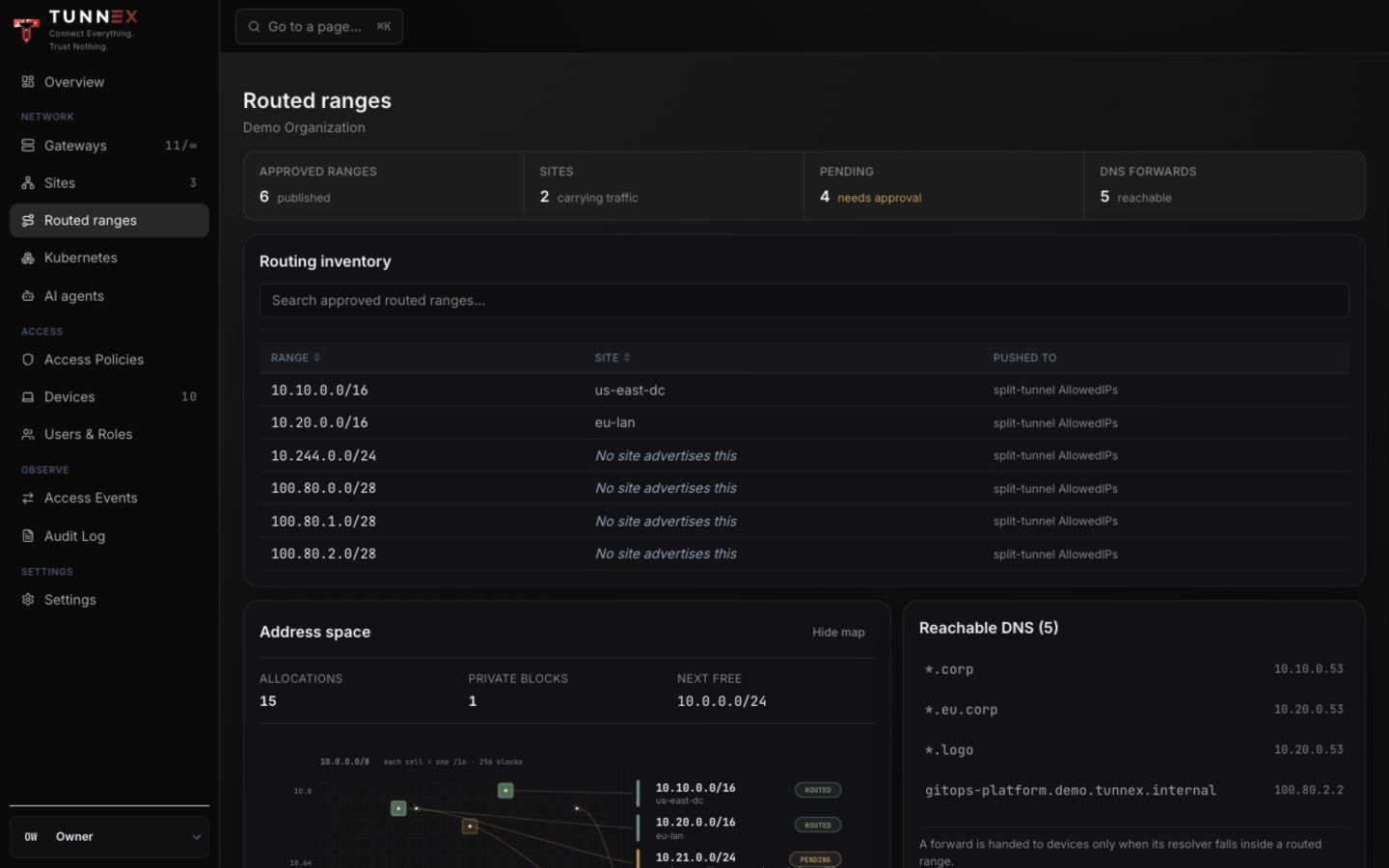
Check:
- every approved site range has the expected owner;
- the device pool does not overlap a site or service range;
- pending ranges are handled under Sites;
- Kubernetes VIP ranges are distinct from Service and device pools; and
- resolver ownership follows the intended site/gateway path.
If one backing request fails, treat the map as incomplete—not as proof that a CIDR is unused.
Configure private DNS resolver profiles
Section titled “Configure private DNS resolver profiles”Open Access Policies → Resources, select FQDN, then choose a Site and Gateway under Private DNS resolvers.
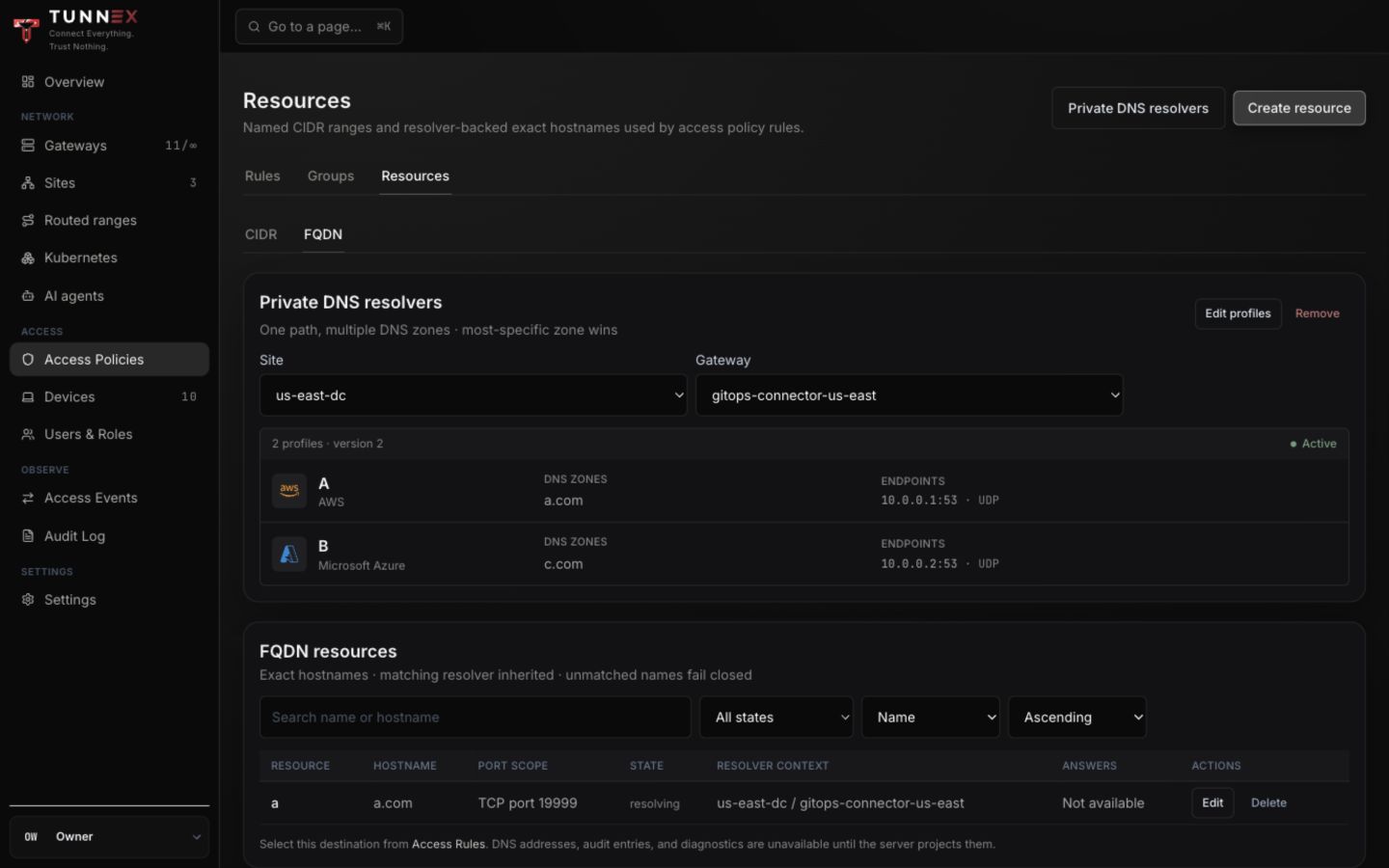
Select Edit profiles. The dialog is titled Activate new DNS profile version.
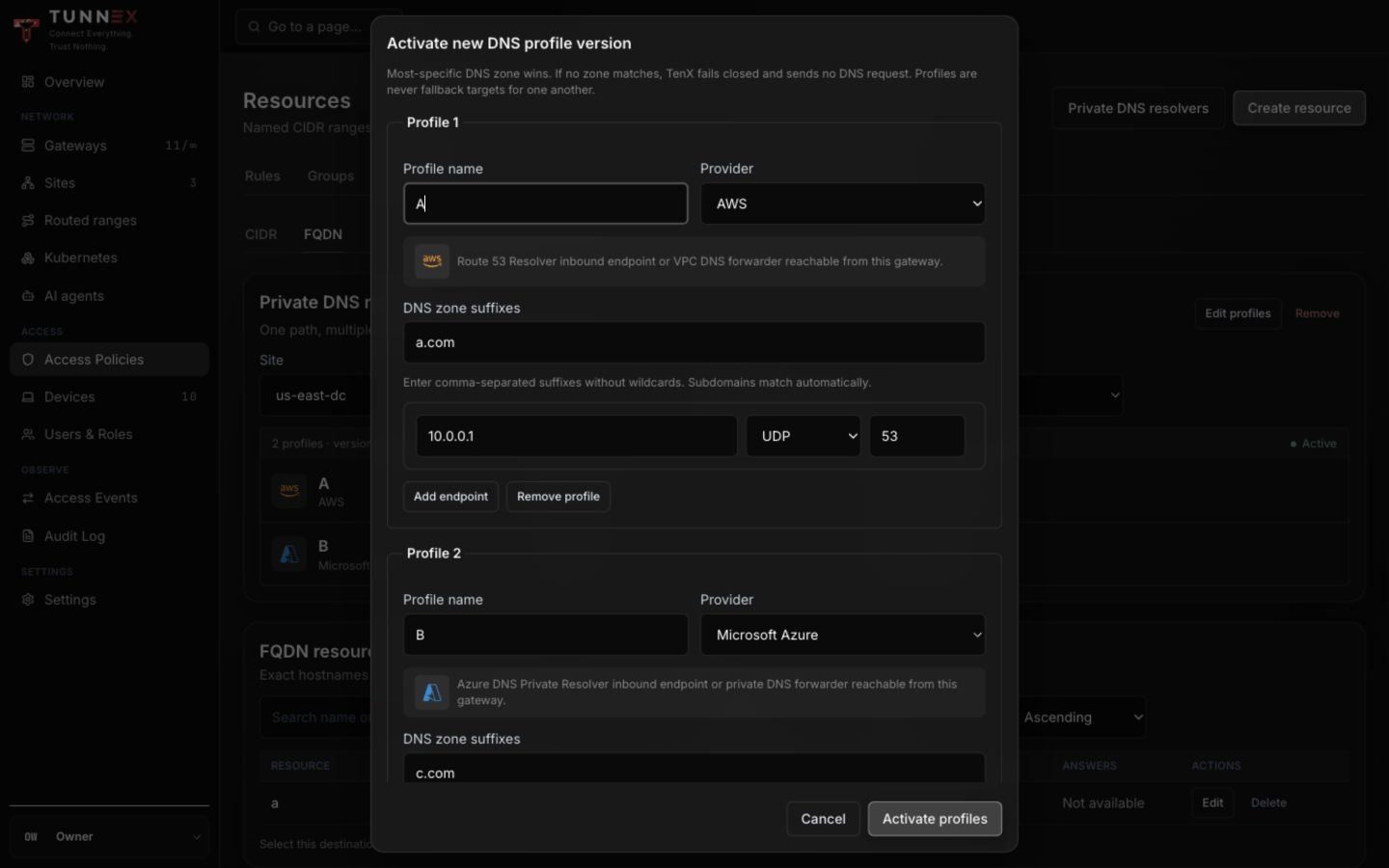
For each profile:
- Enter Profile name.
- Choose Provider: AWS, Microsoft Azure, Google Cloud, or On-premises.
- Enter comma-separated DNS zone suffixes without wildcards.
- Add one or more endpoint IPs.
- Choose UDP or TCP and port, normally
53. - Select Activate profiles only after checking the displayed resolver path.
Most-specific suffix wins. Profiles are not fallbacks for one another. If no suffix matches, Tunnex fails closed and sends no DNS query.
The resolver endpoint must be reachable from the selected gateway. Provider selection documents context only; Tunnex does not discover cloud accounts, private zones, or resolver endpoints.
Create an exact-hostname resource
Section titled “Create an exact-hostname resource”- Under Resources, select Create resource.
- Select Create FQDN resource.
- Enter a stable Name.
- Enter one Exact hostname, such as
orders.internal.example.com. - Optionally add a description.
- Choose protocol and, when shown, the narrowest required port scope.
- Choose the site and gateway providing the private DNS path.
- Confirm the most-specific resolver preview, then select Create resource.
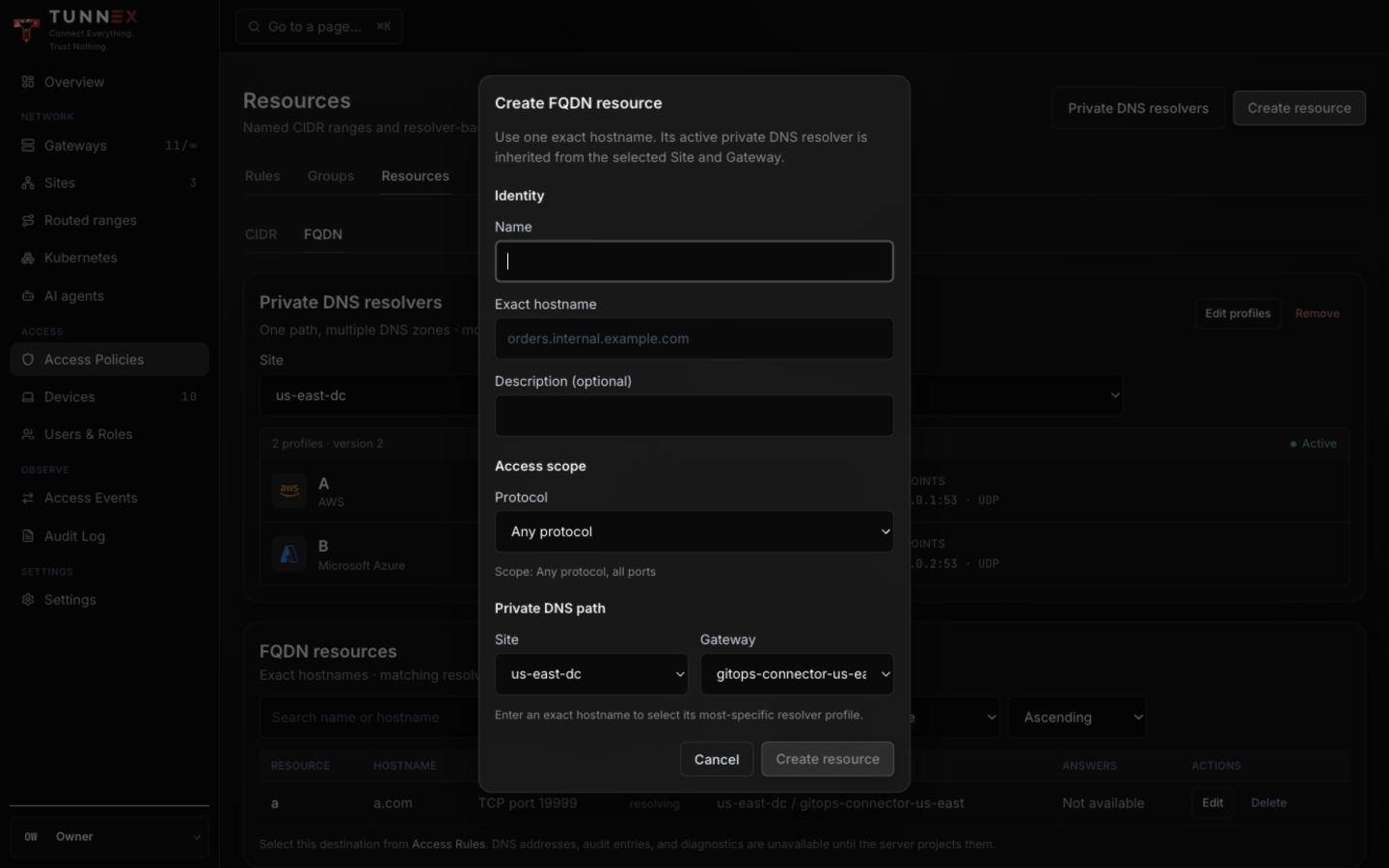
An unmatched name remains unconfigured/fail-closed. A newly configured name may show resolving until the gateway reports the server-projected answer.
Create a CIDR resource
Section titled “Create a CIDR resource”For a static network destination, choose Create CIDR resource instead.
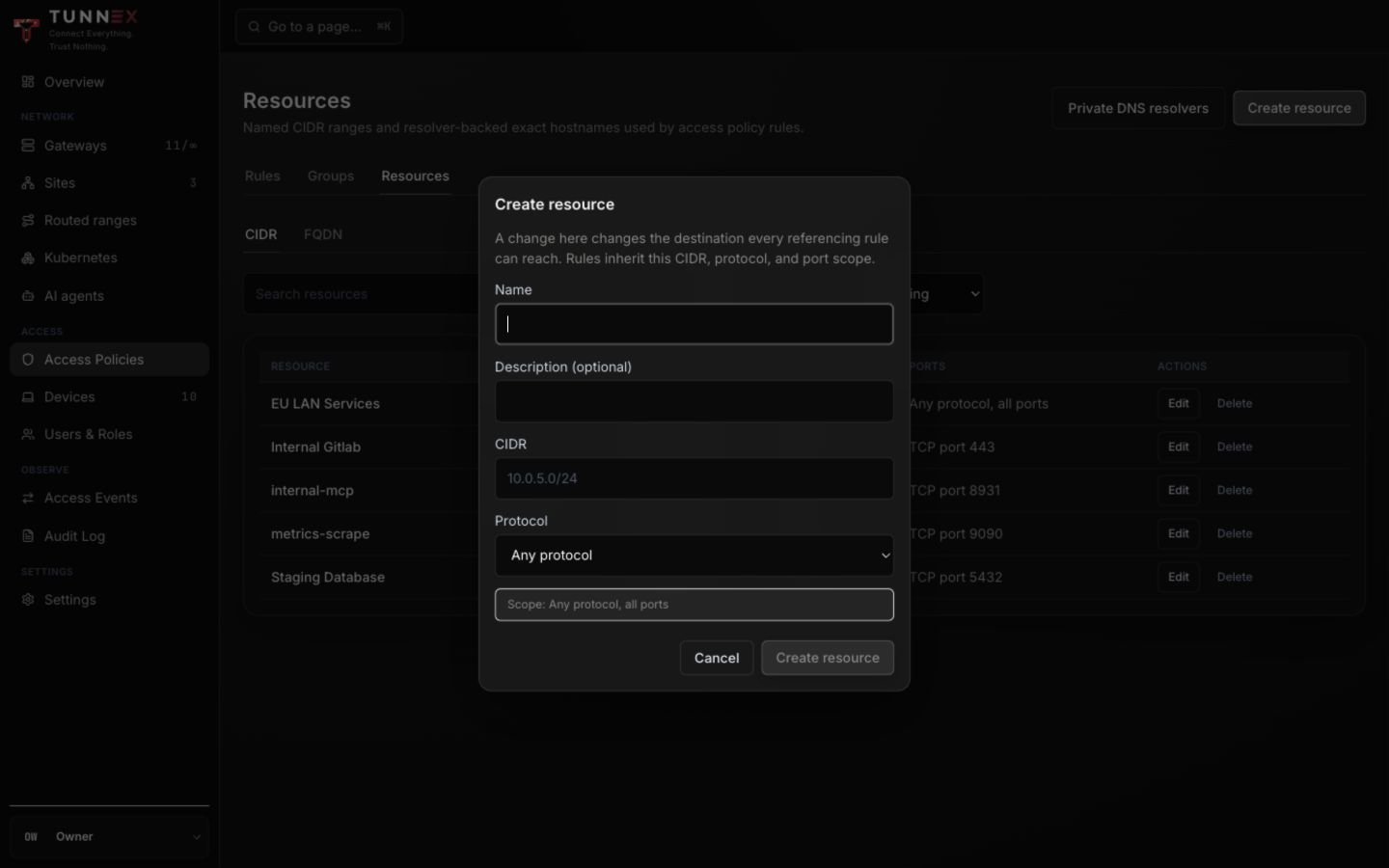
Enter Name, optional description, CIDR, protocol, and port range. Changing a resource later changes the destination every referencing rule can reach, so run Test access again after edits.
Troubleshoot DNS
Section titled “Troubleshoot DNS”From a connected client, query the exact name and the selected resolver path:
getent hosts orders.internal.example.comdig orders.internal.example.comIf resolution fails, verify in order:
- the FQDN resource hostname is exact and normalized;
- a suffix profile matches it;
- the site/gateway path is active;
- the resolver IP lies on an approved reachable route;
- UDP/TCP
53is allowed end to end; and - the authoritative private DNS server has the record.
DNS success does not grant traffic. A separate access rule must allow the subject to reach this resource.