Tunnex rules answer “who may initiate traffic to what destination?” They are allow grants. When enforcement is on, traffic without a matching rule is denied.
Understand the workspace
Section titled “Understand the workspace”Open Access Policies. The top banner shows whether enforcement is Off or Enforcing; the rules inventory can exist in either state.
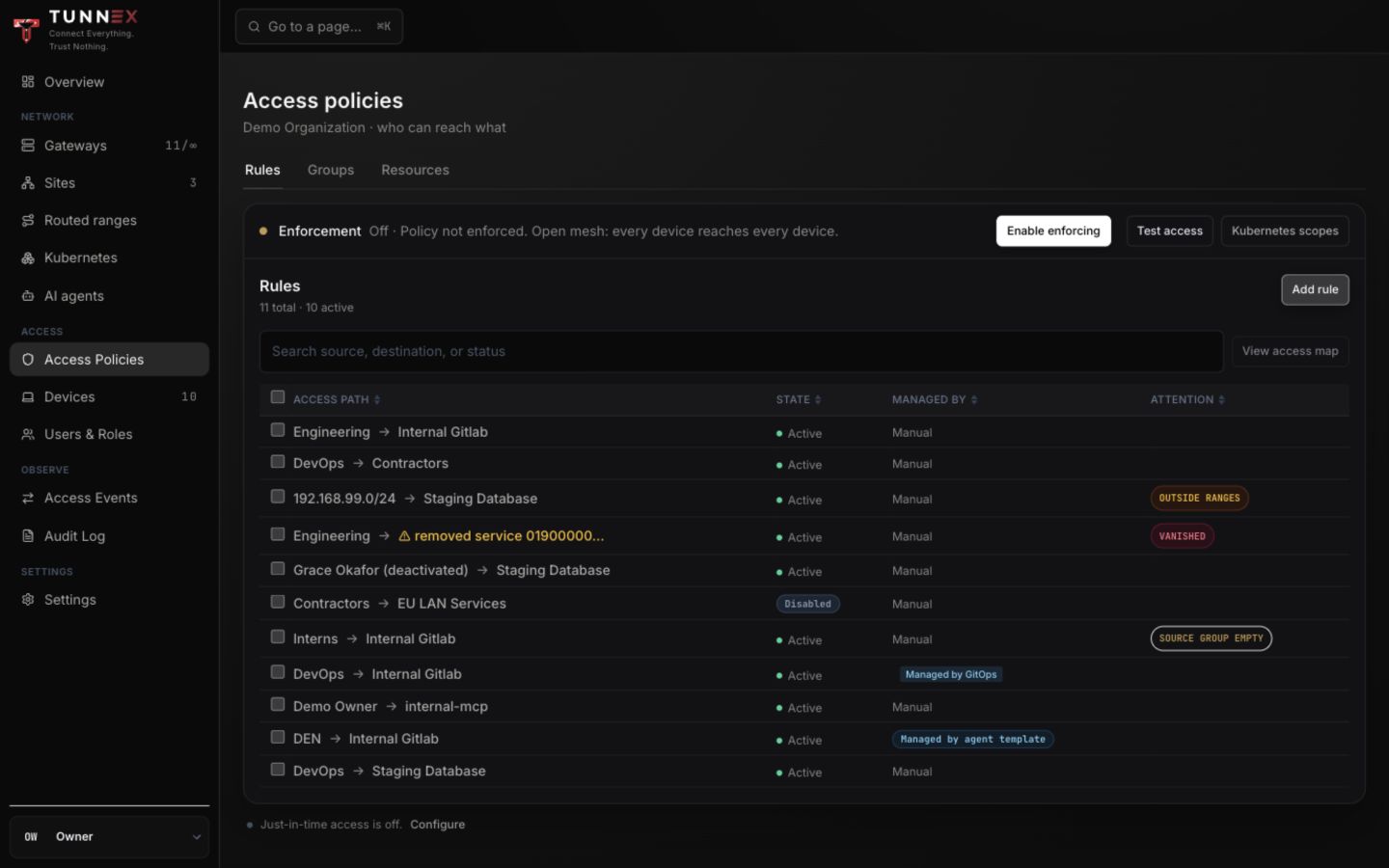
The three sections are:
- Groups — named sets of people, managed agents, or directory-synced users;
- Resources — CIDRs or exact FQDN destinations with protocol/port scope; and
- Rules — one source-to-destination grant, optionally expiring.
Prefer named groups/resources over repeating raw CIDRs. Tunnex can then show empty groups, vanished Kubernetes Services, and destinations outside approved ranges.
Create a group
Section titled “Create a group”- Open Access Policies → Groups.
- Select Create group.
- Choose Group type: People or Managed agents.
- Enter Name.
- Select Create group.
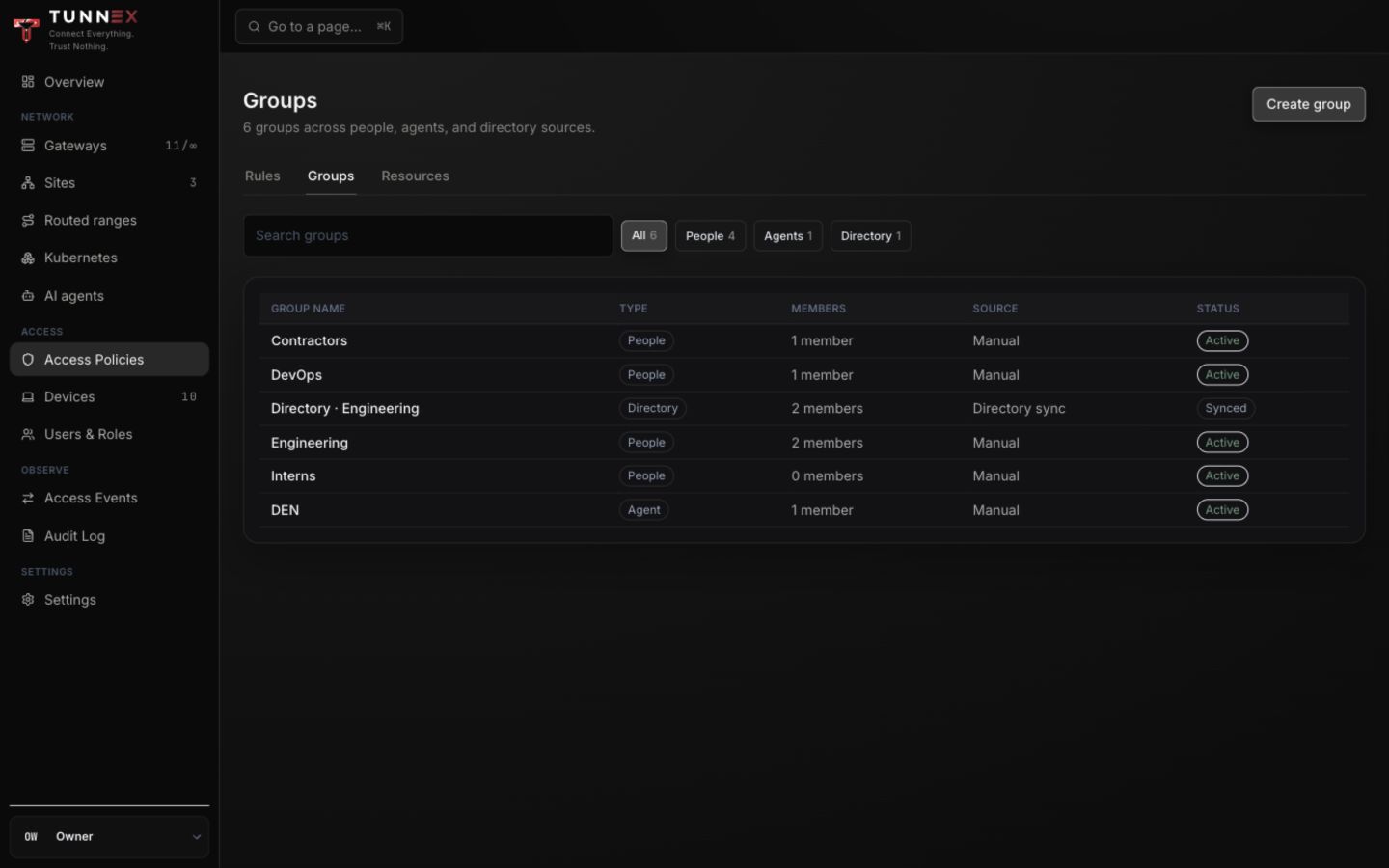
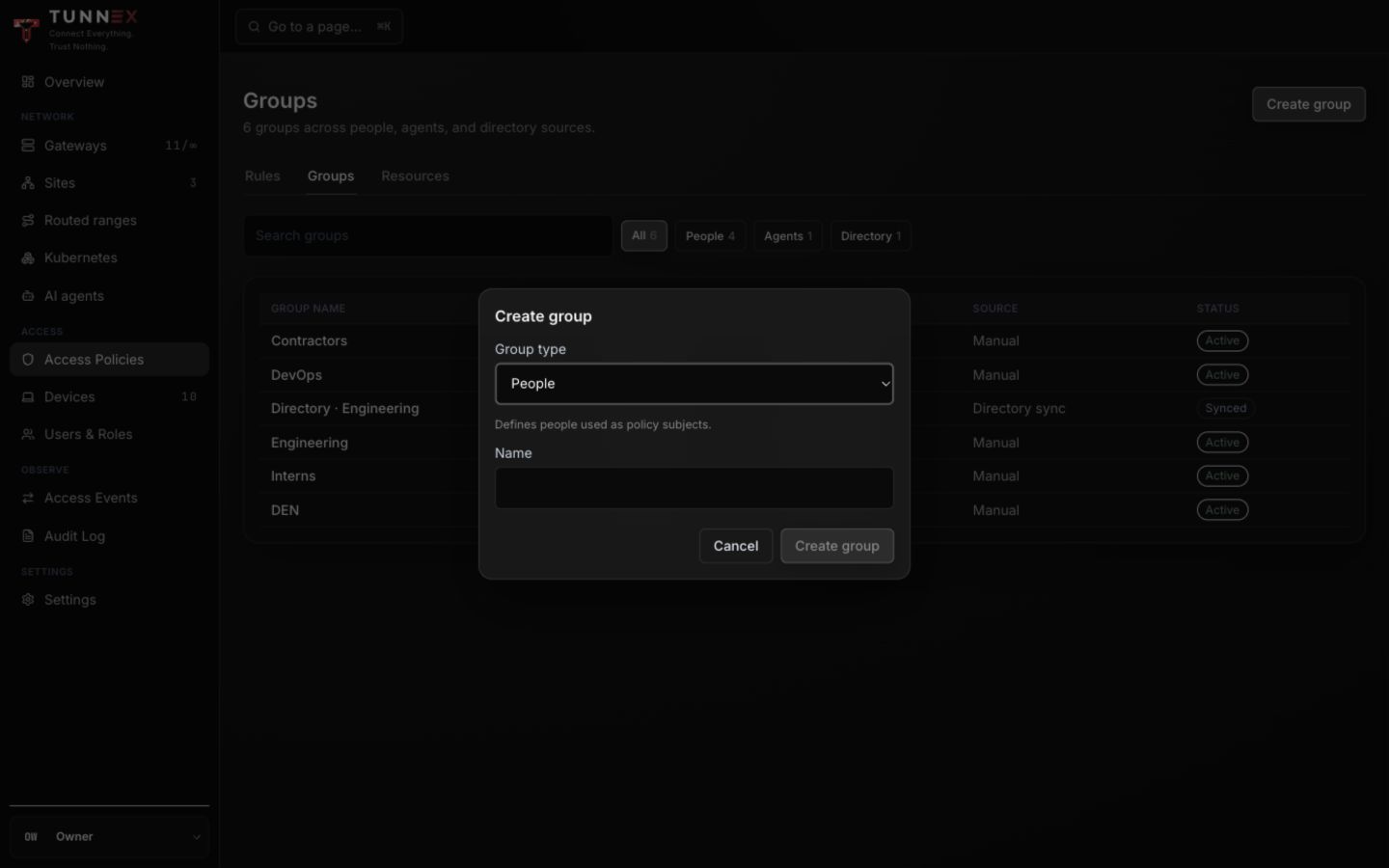
Open the group to add members. A directory-synced group is managed through the directory mapping and cannot be edited like a manual group. An empty source group is valid but matches no devices; rules using it show SOURCE GROUP EMPTY.
Create a CIDR resource
Section titled “Create a CIDR resource”- Open Resources.
- Select Create resource.
- Select Create CIDR resource.
- Enter Name, optional Description, and the exact CIDR.
- Choose Protocol.
- When TCP or UDP is selected, use the smallest required port/range.
- Select Create resource.
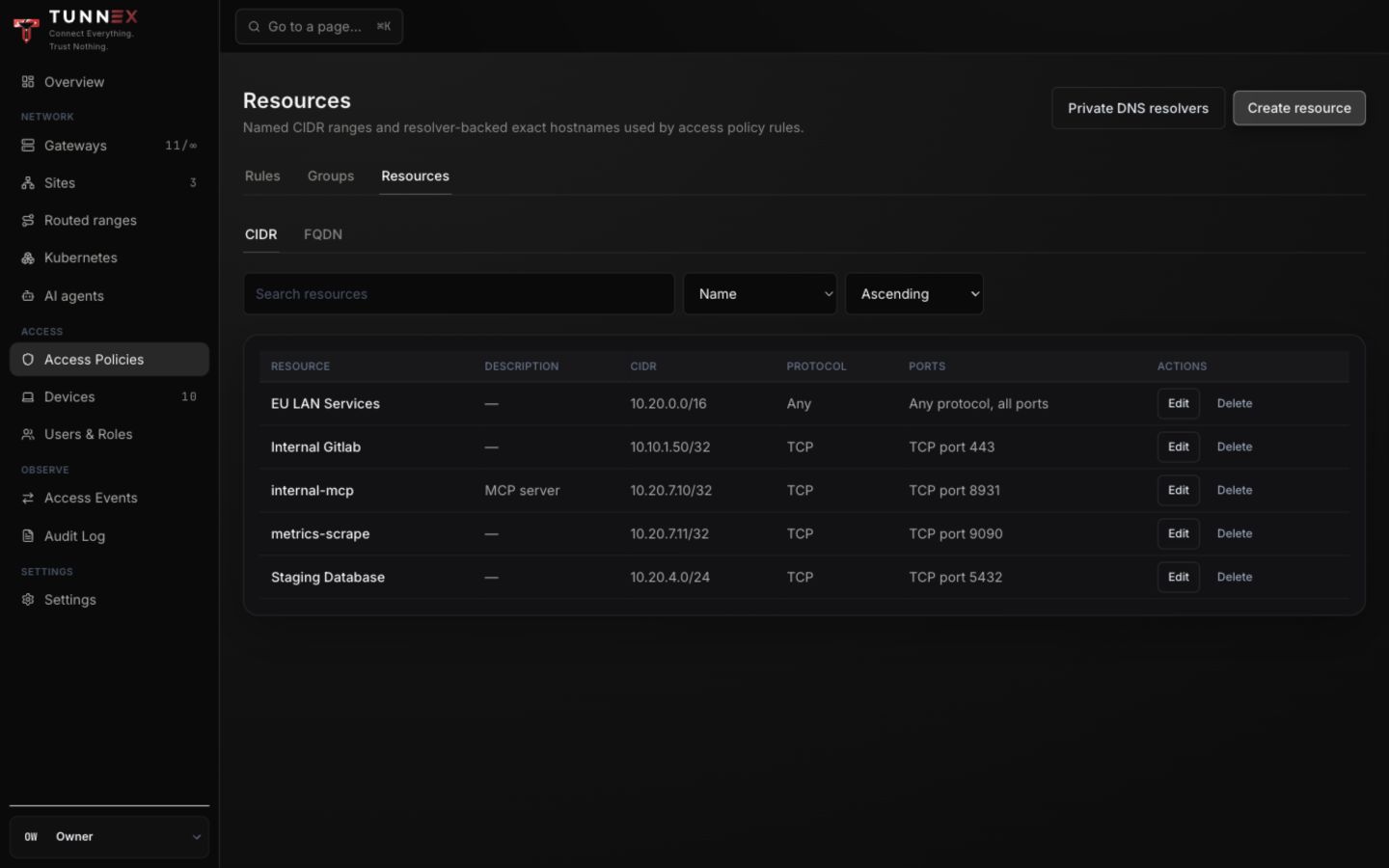
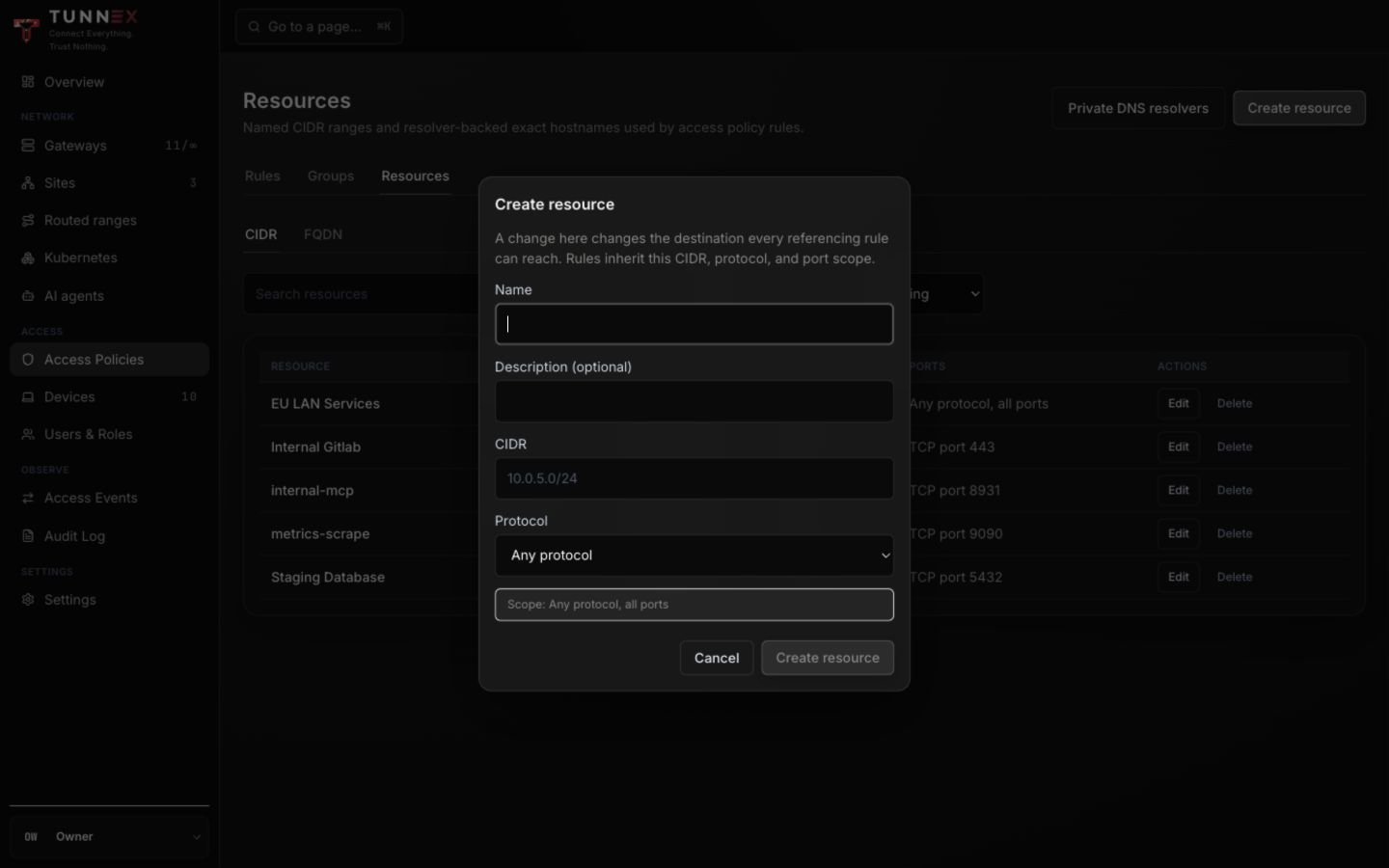
Changing a resource later changes what every referencing rule can reach. Treat resource edits like policy changes, not cosmetic renames.
For exact private hostnames and resolver selection, follow Routed ranges and private DNS.
Add a rule
Section titled “Add a rule”- Return to Rules.
- Select Add rule.
- In Source, choose a group, person, site, agent, or enter a supported CIDR.
- In Destination, choose a group, resource, site, or exposed Kubernetes Service.
- Read the generated Access granted sentence. It states the actual effect, not merely the labels you selected.
- Optionally enter Expires for a temporary grant.
- Select Create.
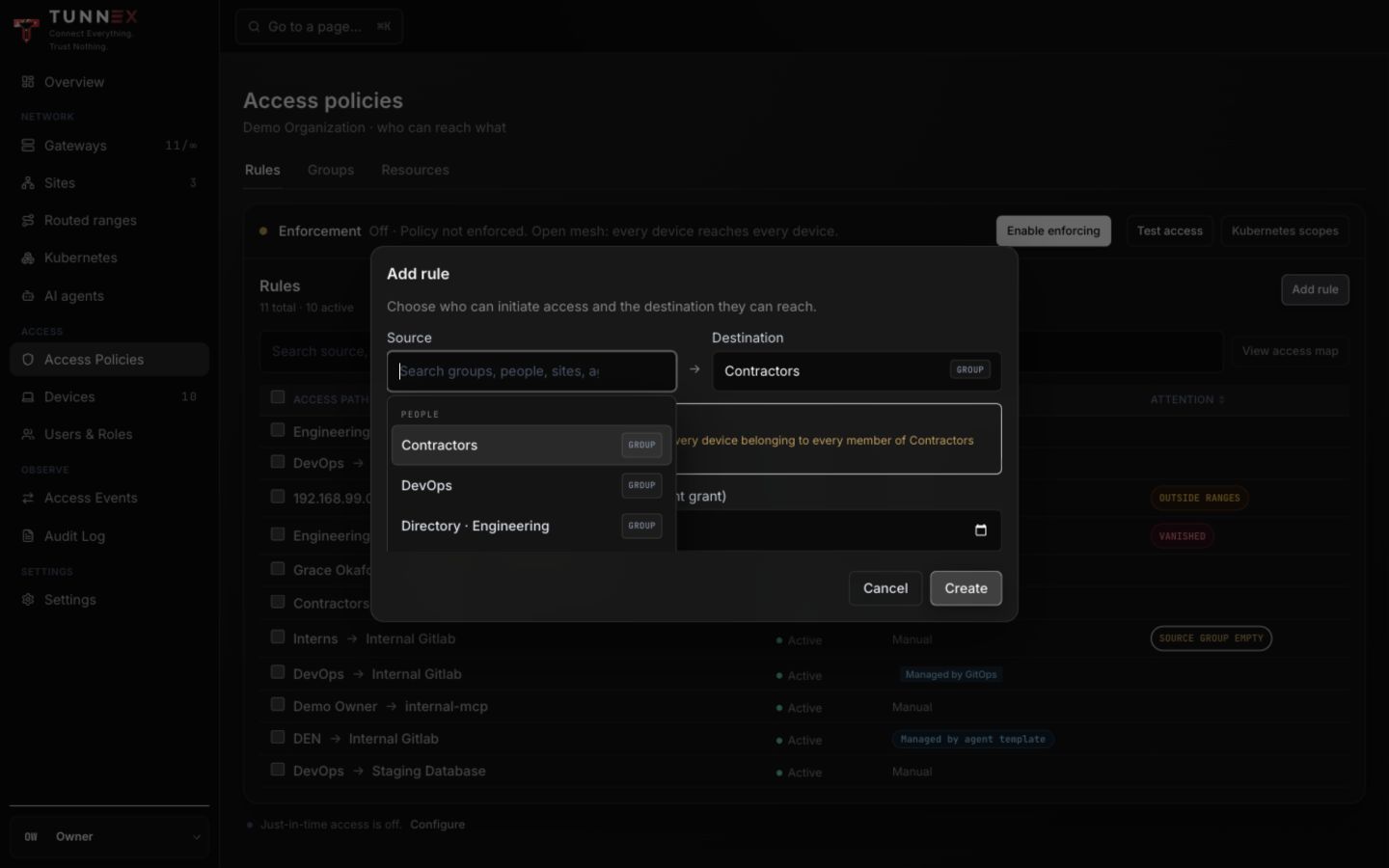
For permanent access, leave expiry empty. For temporary work, prefer an expiring grant or the just-in-time request flow over a standing rule that someone must remember to remove.
Interpret attention states
Section titled “Interpret attention states”| State | Meaning | Fix |
|---|---|---|
OUTSIDE RANGES | Raw destination is in no current approved site range | Correct the CIDR or approve the intended site range |
VANISHED | Referenced Kubernetes Service is no longer exposed | Re-expose it or remove/replace the rule |
SOURCE GROUP EMPTY | Source group has no members | Add intended members or delete the unused rule |
| Deactivated person | Identity cannot sign in, but the historical reference remains | Replace/remove the rule after review |
| Managed by GitOps/template | Dashboard is not the source of truth | Edit the owning CR/template |
Do not enable enforcement with unresolved warnings just because the rule count is nonzero.
Edit or delete carefully
Section titled “Edit or delete carefully”Rule editing creates the replacement before removing the old rule. If the second operation fails, Tunnex surfaces the partial state; refresh and inspect both rules rather than retrying blindly.
Deleting a group/resource may cascade into rules or be blocked by immutable references. Read the dependency preview. For directory or GitOps-managed objects, change the upstream owner.
Continue with Test and enforce policy.