Tunnex exposes two different histories:
- Access Events — observed network allow/deny decisions reported from the gateway data plane; and
- Audit Log — control-plane administrative changes such as creating a rule, enabling enforcement, or revoking an invitation.
One does not replace the other.
Investigate access events
Section titled “Investigate access events”Open Access Events.
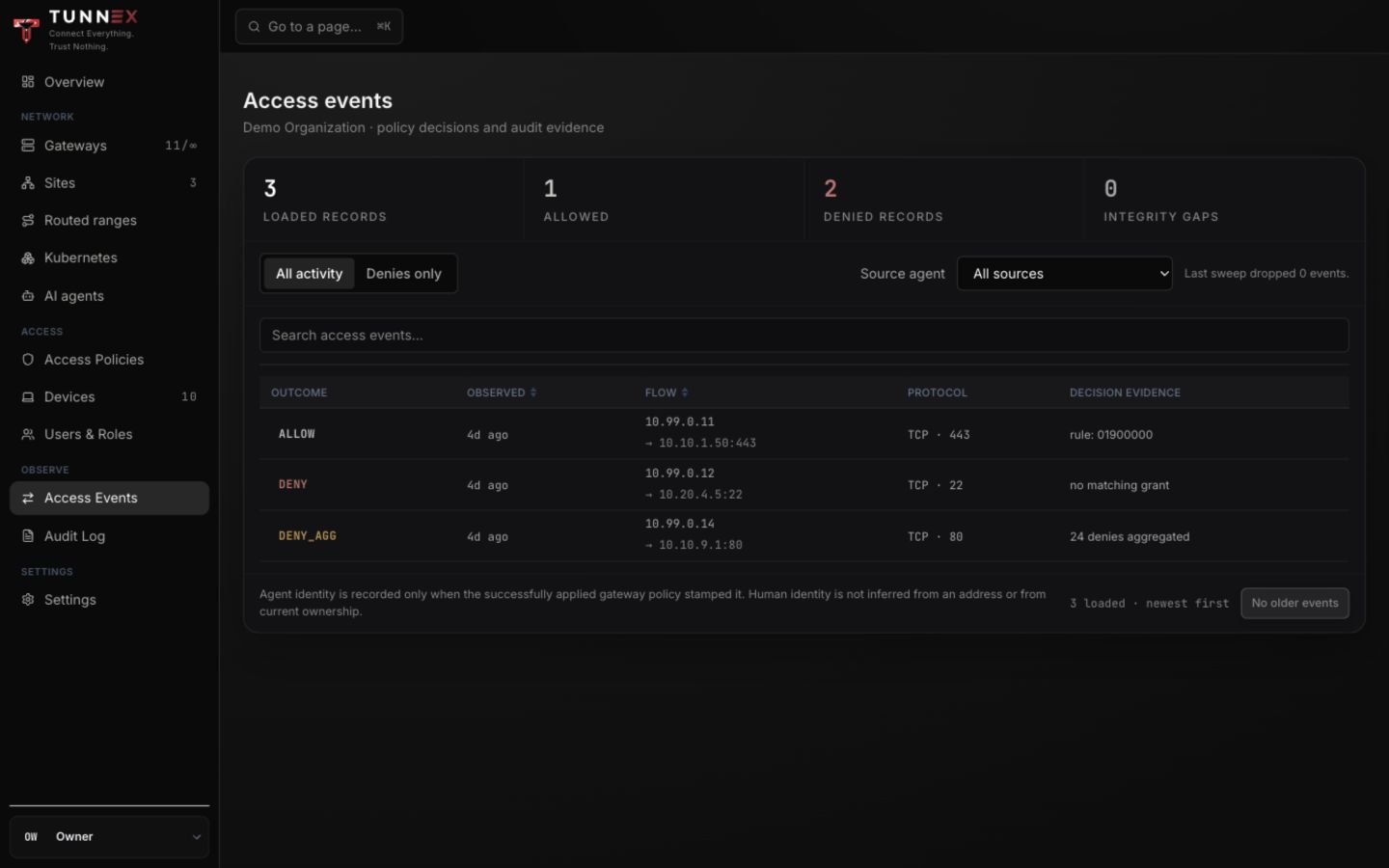
- Choose All activity or Denies only.
- Filter Agent when investigating a managed AI principal.
- Use the search box for a known source/destination.
- Read outcome, observation time, flow, protocol/port, and decision evidence.
- Select the ALLOW, DENY, or DENY_AGG badge for detail.
DENY_AGG represents repeated denials summarized into one record; read the
aggregate count instead of assuming one packet.
Read an event detail
Section titled “Read an event detail”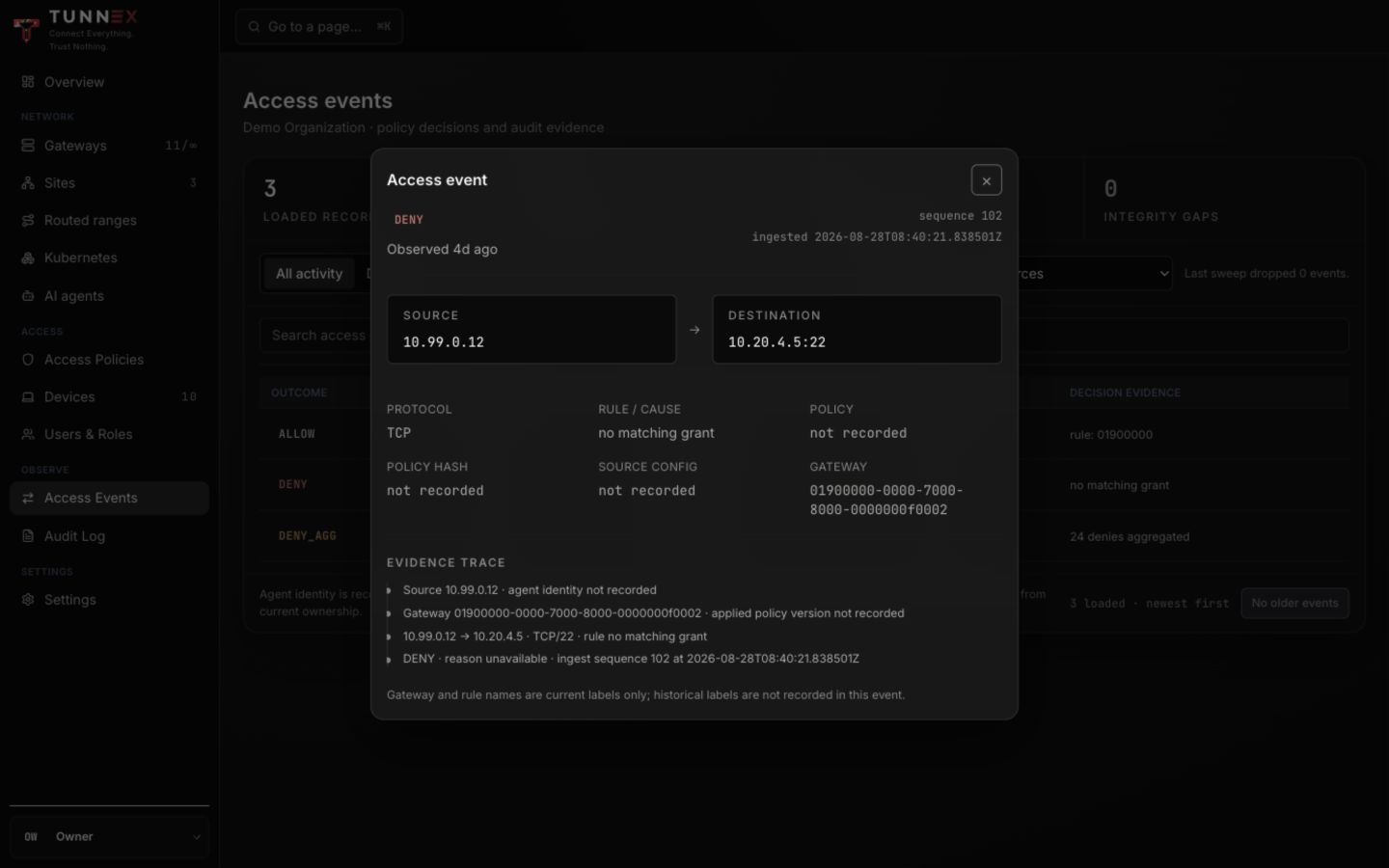
The detail separates:
- source and destination;
- protocol and port;
- matching rule or deny cause;
- applied policy/config evidence when recorded;
- gateway identity; and
- ingest sequence/time.
Historical gateway/rule labels may not be recorded. Current labels are display context, not proof of their name at event time. Human identity is not inferred from an IP address; an agent identity appears only when the successfully applied gateway policy stamped it.
Verify a policy change
Section titled “Verify a policy change”After enabling or changing enforcement:
- Generate one planned allowed flow.
- Generate one planned denied flow.
- Confirm both appear with the correct source, destination, and port.
- If the event lacks applied-policy evidence, inspect the gateway’s desired and applied revision before claiming enforcement succeeded.
An absent event can mean no traffic reached the gateway, telemetry is delayed, or the wrong gateway handled it. It is not automatically an allow.
Filter the audit log
Section titled “Filter the audit log”Open Audit Log.
- Choose Actor or leave Anyone.
- Enter the exact Action, for example
org.zero_trust_enabled. - Optionally set From and To.
- Select Apply.
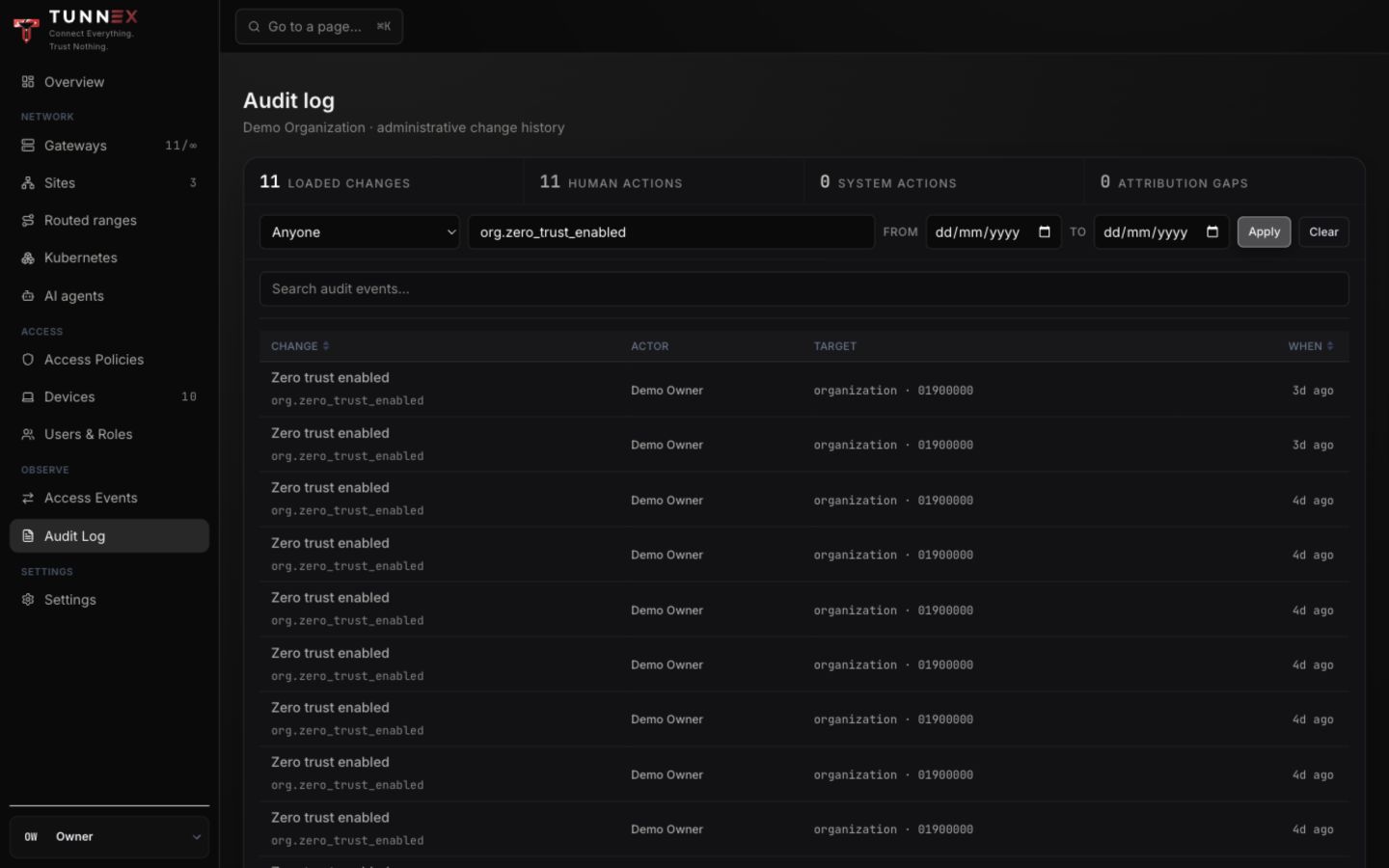
Use Clear before starting a different investigation; the footer reports the number of active filters.
Inspect audit evidence
Section titled “Inspect audit evidence”Select an event row.
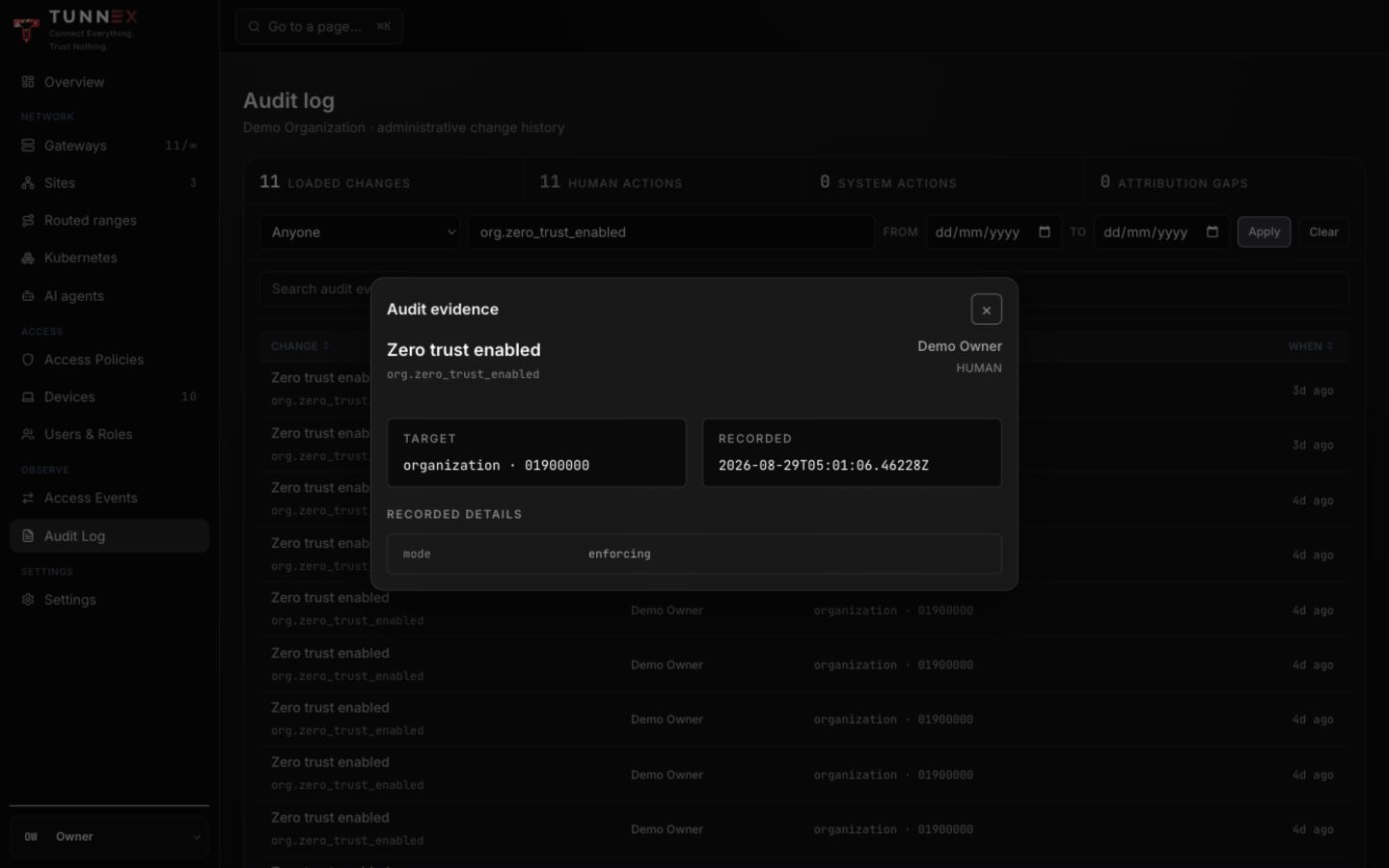
Record:
- normalized action;
- human/system actor;
- target kind and identifier;
- timestamp; and
- the event’s recorded detail fields.
An audit row proves the control-plane action was recorded. It does not by itself prove every gateway applied the resulting revision or that an application flow worked.
Preserve evidence safely
Section titled “Preserve evidence safely”Export or screenshot only synthetic/redacted material. Never include session cookies, invite/reset links, join tokens, device configs, private keys, SSO/SMTP secrets, machine tokens, or real user/resource names in a public report.
For an incident timeline, preserve original timestamps and identifiers in the authorized case system; do not modify the live deployment merely to make a cleaner screenshot.