A gateway terminates WireGuard and applies the routes and firewall state compiled by Tunnex. The control plane does not relay user traffic through a hosted network, so gateway placement and reachability are part of your design.
Before you begin
Section titled “Before you begin”The gateway host needs Linux, Docker, host networking, NET_ADMIN,
/dev/net/tun, persistent state, and outbound access to the control plane. If
clients or another site must dial it, provide a publicly reachable UDP endpoint
or port forward.
Open Gateways directly from the main navigation. Do not use an onboarding shortcut if it points somewhere unexpected.
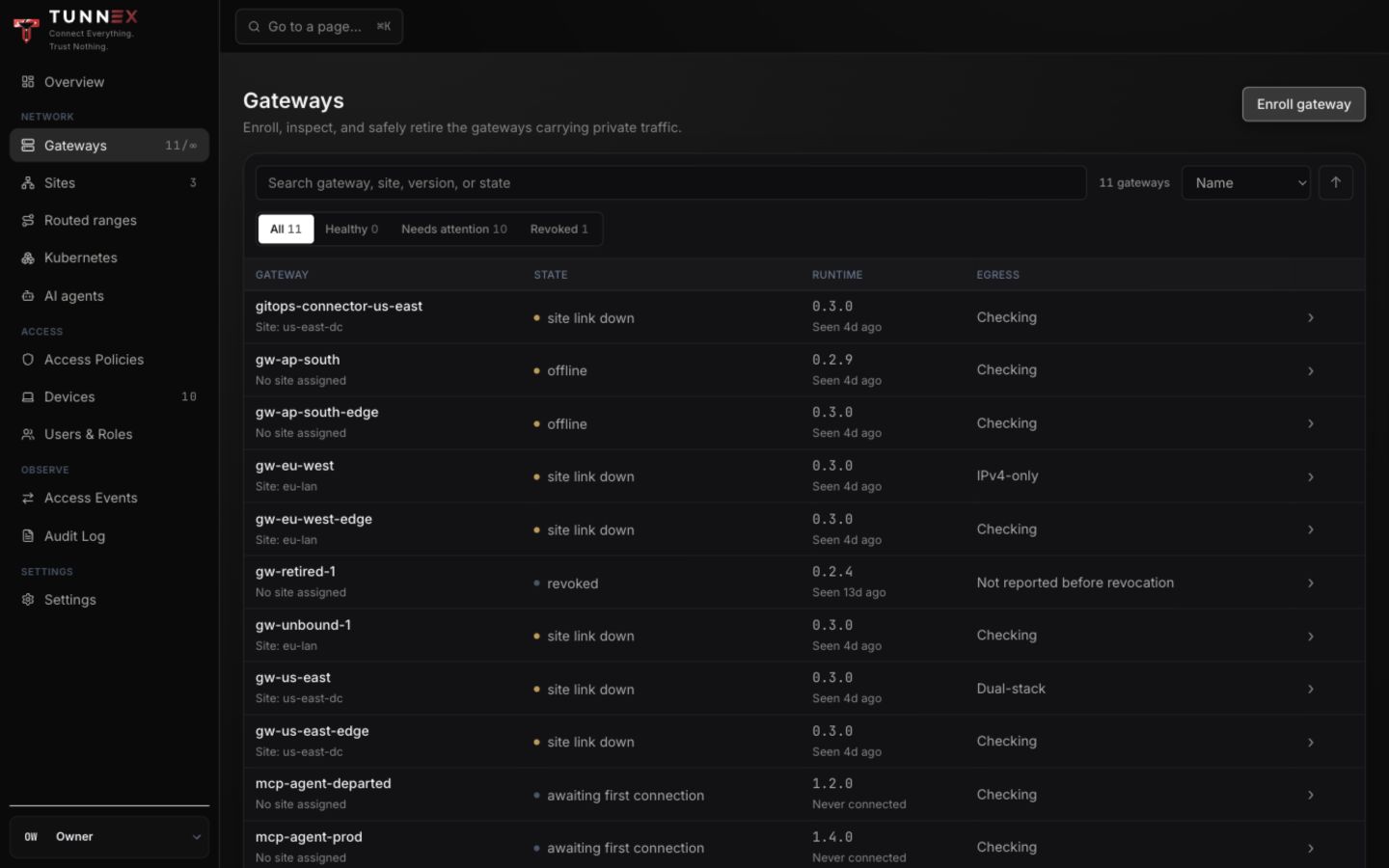
The documentation organization intentionally includes several lifecycle states so operators can compare them. It is not a health report for production.
1. Open the enrollment form
Section titled “1. Open the enrollment form”Select Enroll gateway.
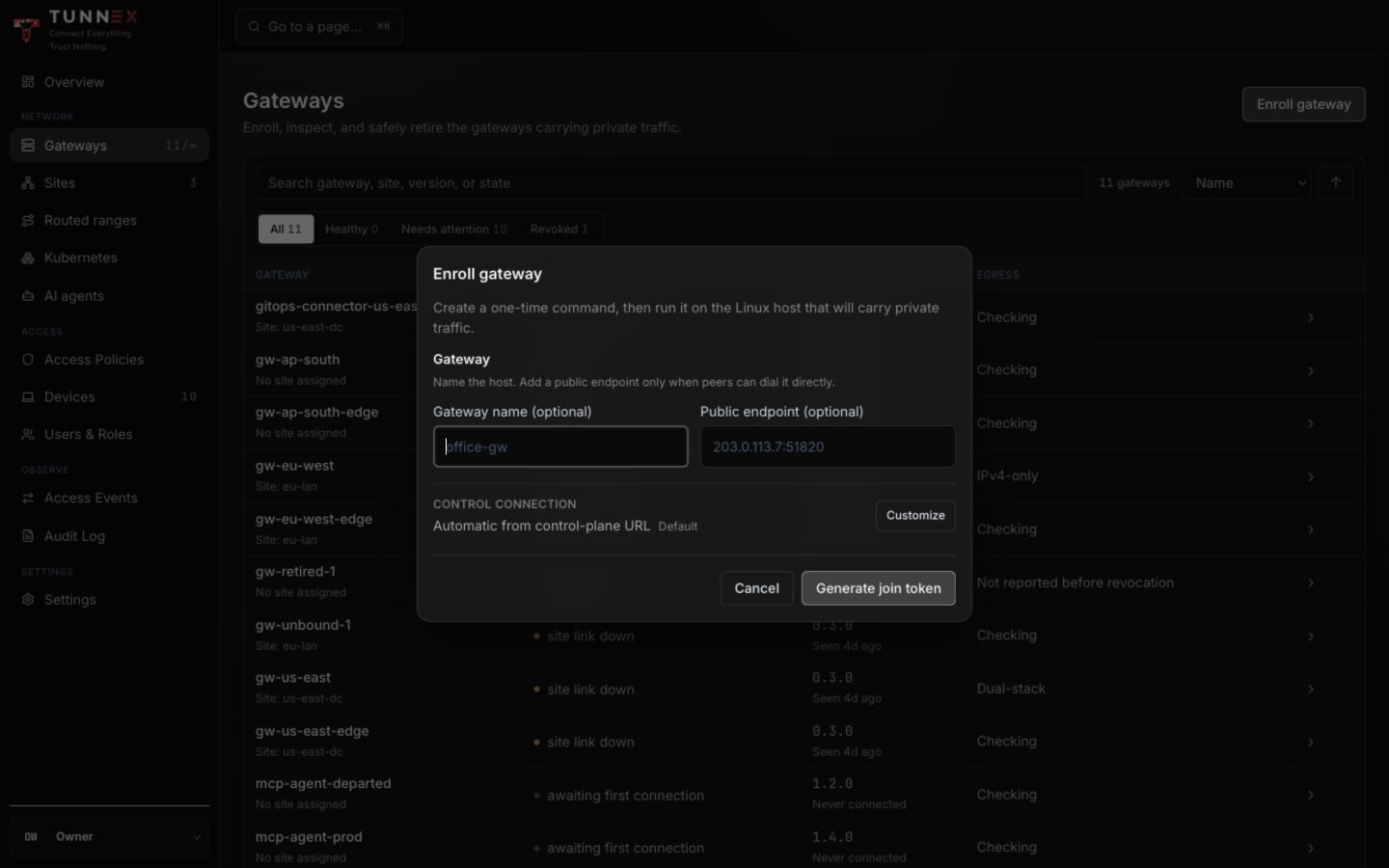
Complete the fields:
- Gateway name (optional) — use a stable location-role name such as
mumbai-edge-1, not a short-lived VM hostname. - Public endpoint (optional) — enter the
host-or-ip:udp-portthat peers dial, for examplevpn.example.com:51820. - Leave the control connection automatic unless this deployment exposes the raw gateway-control service at a different hostname.
Blank public endpoint means an outbound-only NAT spoke. It may enroll and receive policy, but it cannot accept peer connections or carry normal site transit. There is no managed relay that repairs this automatically.
2. Customize the control endpoint when required
Section titled “2. Customize the control endpoint when required”Select Customize only when your raw gateway-control URL differs from the control-plane origin. Enter an HTTPS DNS hostname in Gateway control URL, then select Save endpoint.
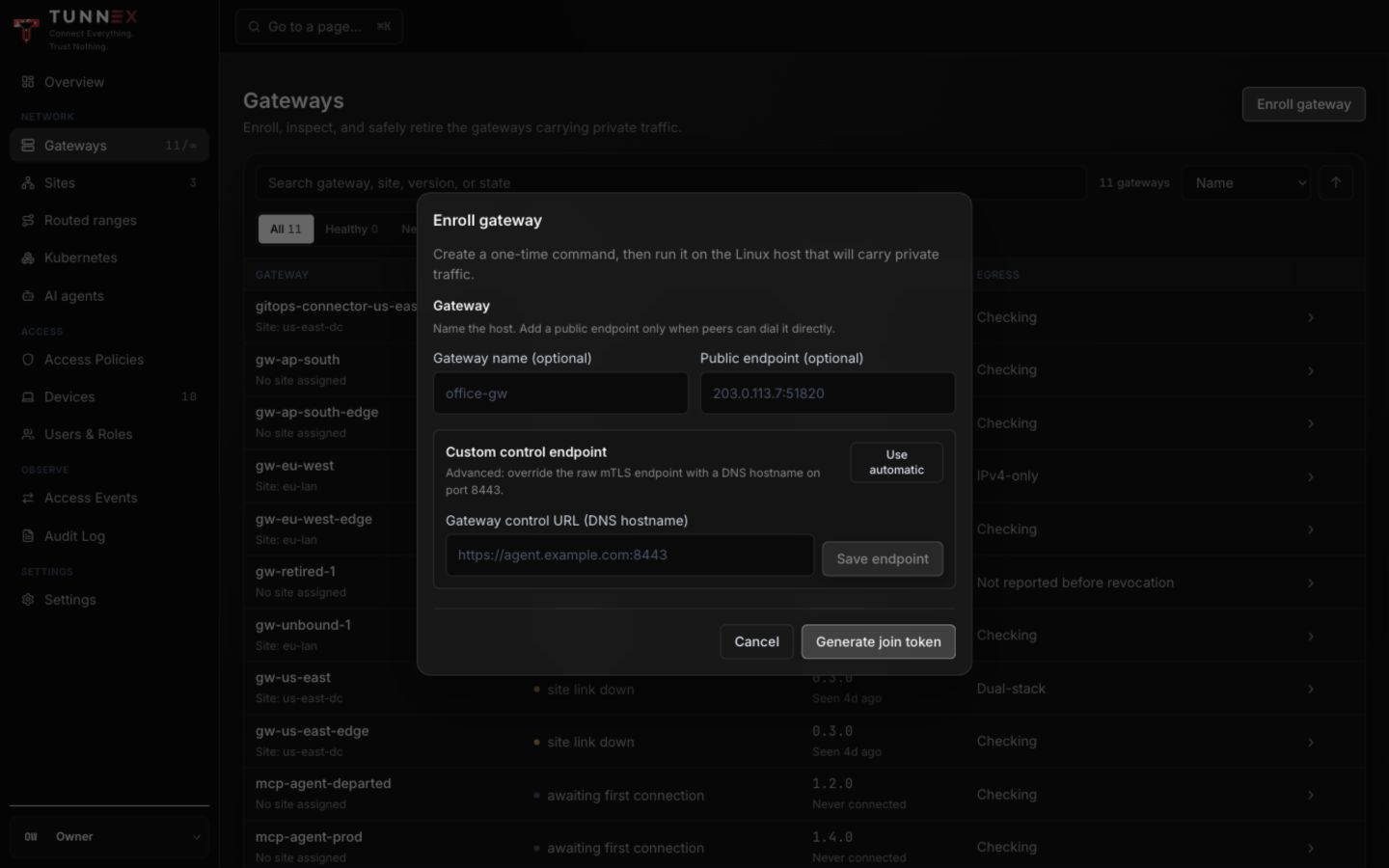
This is the raw mutually authenticated TCP service, normally port 8443; it is
not an HTTP route to terminate at an ordinary layer-7 Ingress.
3. Issue and run the one-time command
Section titled “3. Issue and run the one-time command”- Select Generate join token.
- In Enroll your gateway: run this once, select Copy command.
- Open a root-capable shell on the intended gateway host.
- Run the command exactly once.
- Close the one-time command dialog after the host has redeemed it.
The generated command starts the release-selected node-agent image with host
networking, /dev/net/tun, NET_ADMIN, persistent state, and the selected
control URLs. The gateway creates its WireGuard private key locally. The join
token cannot be retrieved later.
4. Verify enrollment
Section titled “4. Verify enrollment”The gateway row appears only after the agent redeems the token and connects. Open the row and check Overview.
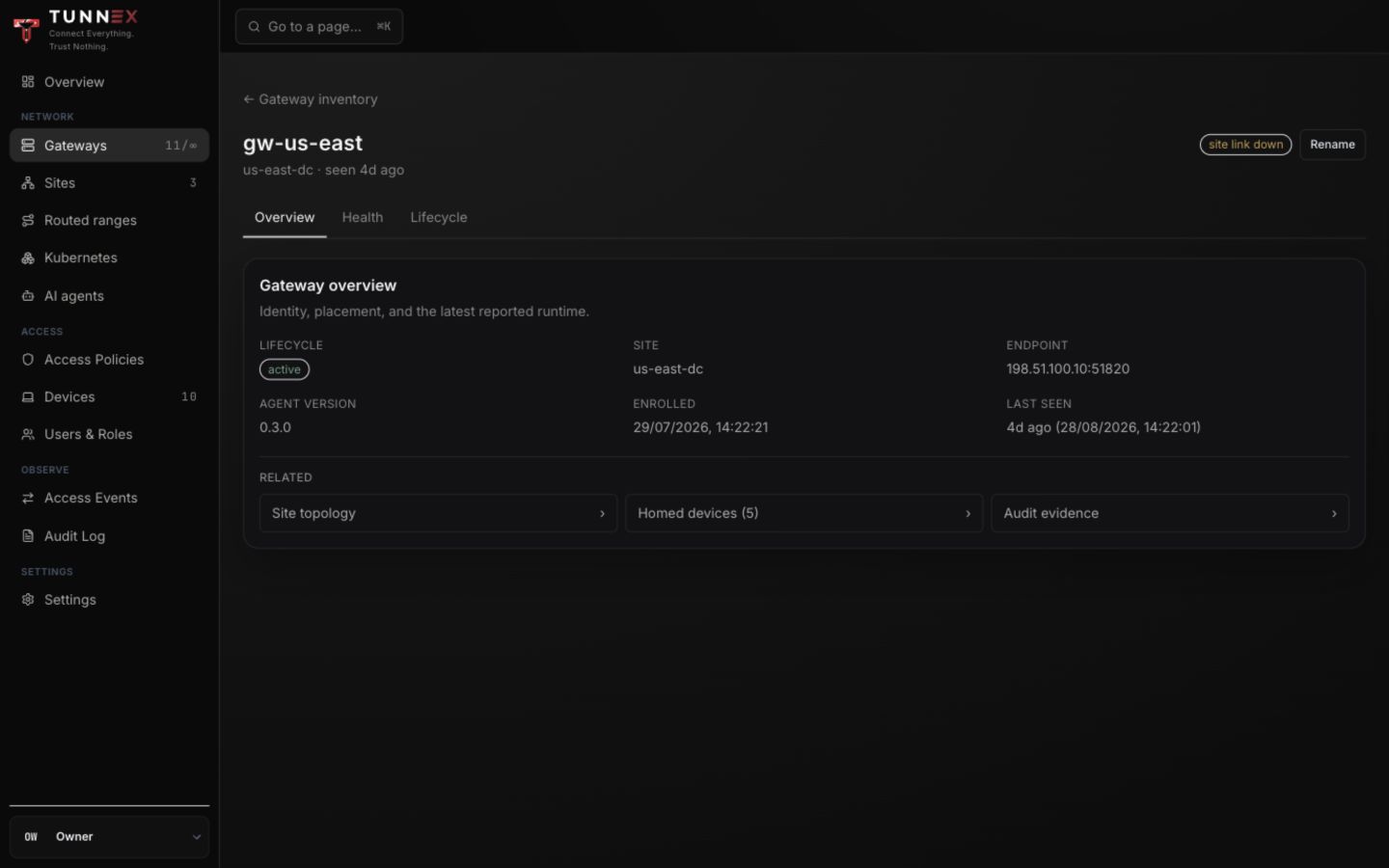
Expected result:
- lifecycle is active;
- the endpoint is the address peers should dial;
- a runtime version is reported; and
- Last seen advances.
On the host, verify independently:
sudo docker ps --filter name=node-agentsudo docker logs --tail=200 node-agentsudo wg showContainer names vary by deployment. Remove tokens, certificates, and complete WireGuard configurations before sharing logs.
5. Read the Health tab
Section titled “5. Read the Health tab”Select Health to separate control connectivity from data-plane readiness.
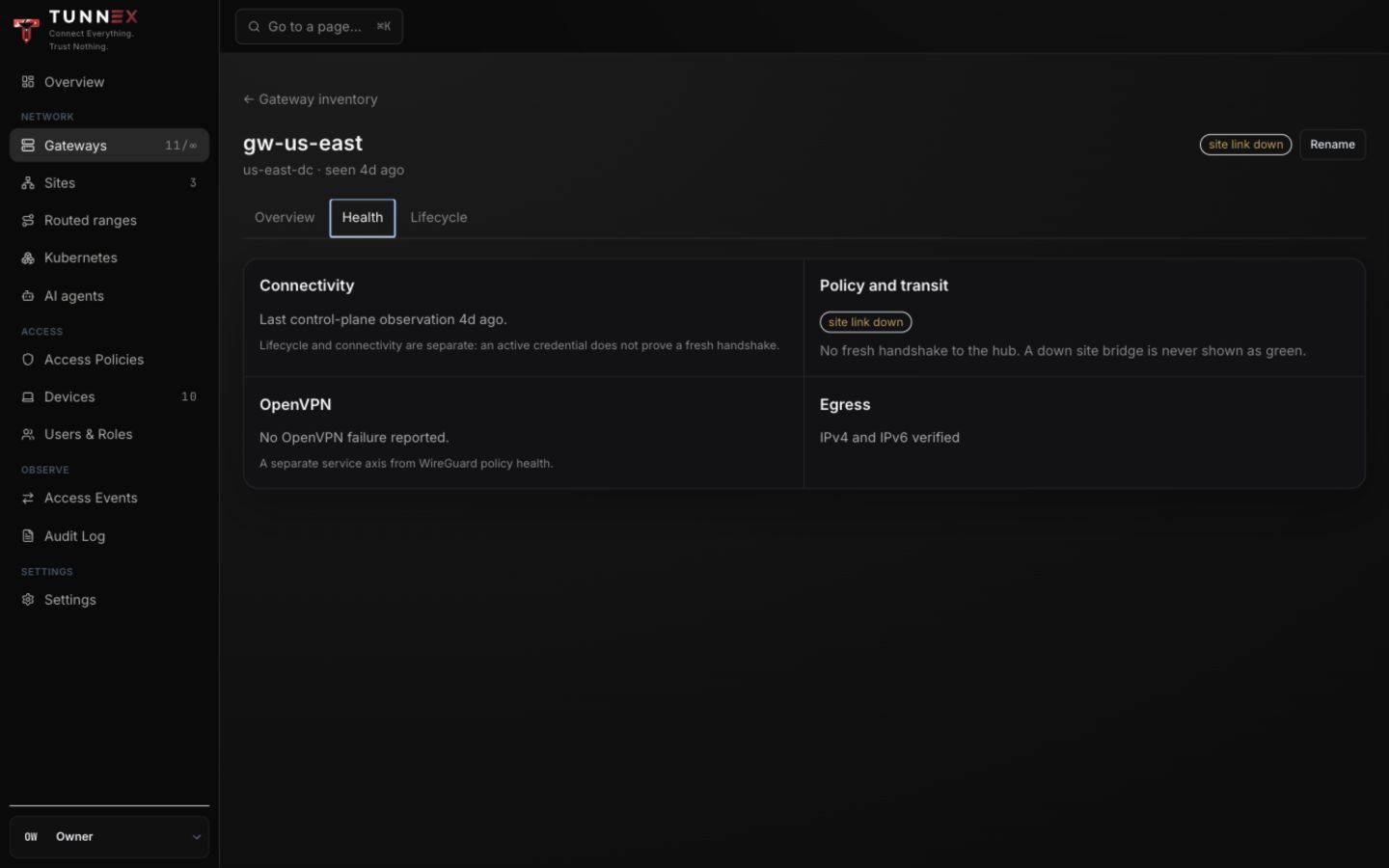
| Signal | What it proves | What it does not prove |
|---|---|---|
| Reporting/last seen | The control channel is active | A remote peer can reach UDP |
| Runtime/version | An agent identified itself | The version accepted the newest policy |
| Egress ready | Full-tunnel prerequisites were reported | Every upstream route/DNS path works |
| Recent handshake | WireGuard exchanged packets | The intended LAN has a return route |
For a new internet-facing gateway, test its UDP port from a network outside the gateway’s provider and confirm a real device handshake.
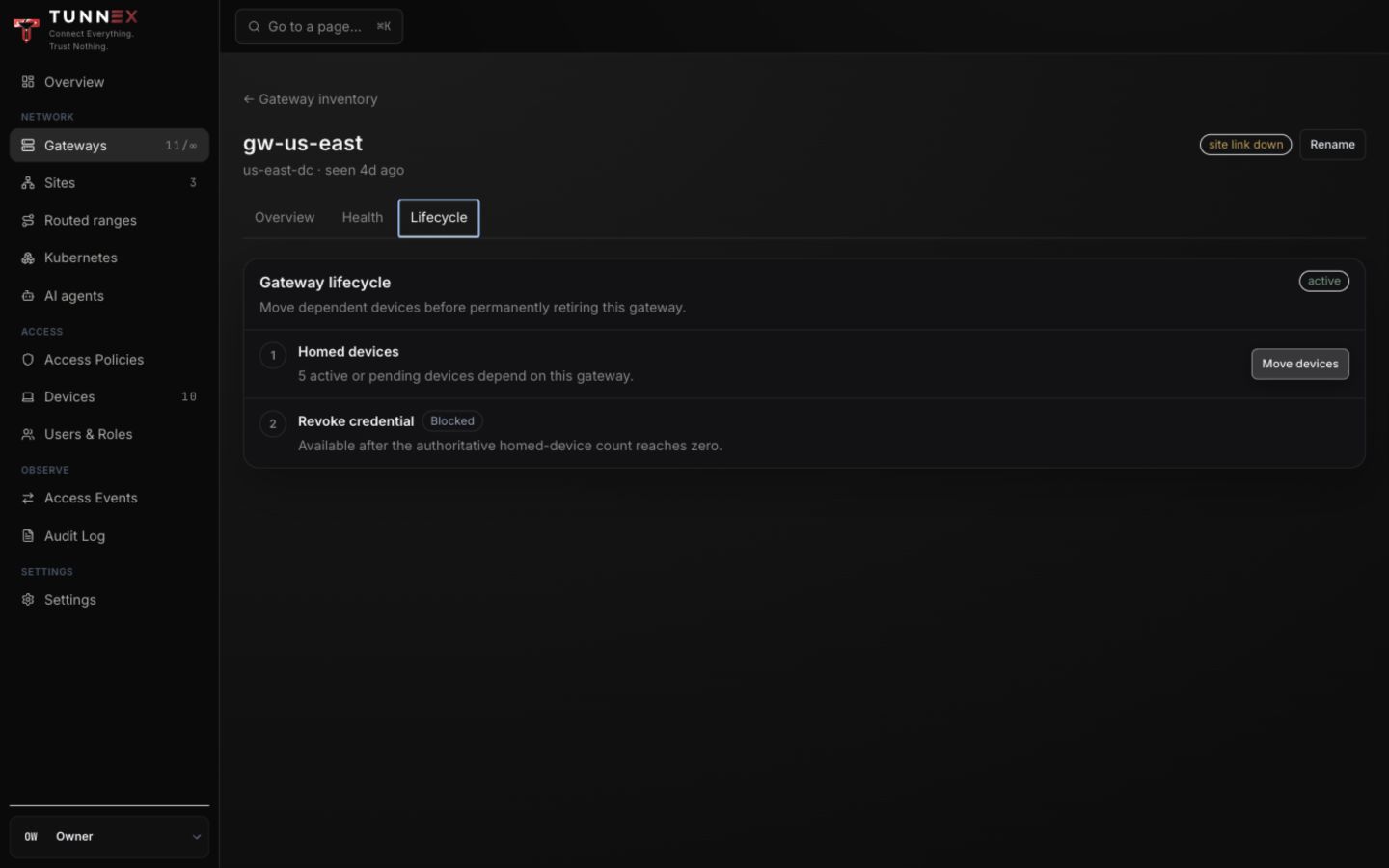
Move devices before retirement
Section titled “Move devices before retirement”Open Lifecycle. If the gateway has homed devices:
- Under Move devices, select Choose a gateway….
- Choose another active gateway with the required reachability and egress.
- Select Move devices.
- Wait for the destination gateway and managed clients to reconcile.
Static WireGuard/OpenVPN profiles do not receive every route, DNS, or gateway-home change dynamically. Re-export and re-import affected static clients when the UI or event history says new material is required.
Revoke and remove
Section titled “Revoke and remove”Revoke remains blocked until the homed-device count is known to be zero. After moving devices:
- Confirm the old gateway has no required site binding or Kubernetes connector responsibility.
- Revoke it.
- Confirm active gateways applied the resulting policy revision.
- Delete the revoked roster entry only after retaining the audit evidence you need.
If no other active gateway exists, retirement is a hard stop: enroll the replacement first. Continue with Sites and LAN routing.