Tunnex publishes selected Kubernetes Services as synthetic VIPs and private FQDNs. It does not import a cloud account or expose every Service automatically.
Prerequisites
Section titled “Prerequisites”- An existing site.
- An active endpoint-bearing gateway bound to that site.
- A distinct synthetic VIP range and Kubernetes Service CIDR.
- An in-cluster connector for programming VIPs and ready pod endpoints.
- A verified user with Kubernetes management permission for changes.
Cluster state is member-readable. Registering clusters and exposing Services
require k8s:manage and are core capabilities. Access grants for those Services
also require Enterprise and the appropriate policy permission.
1. Register a cluster
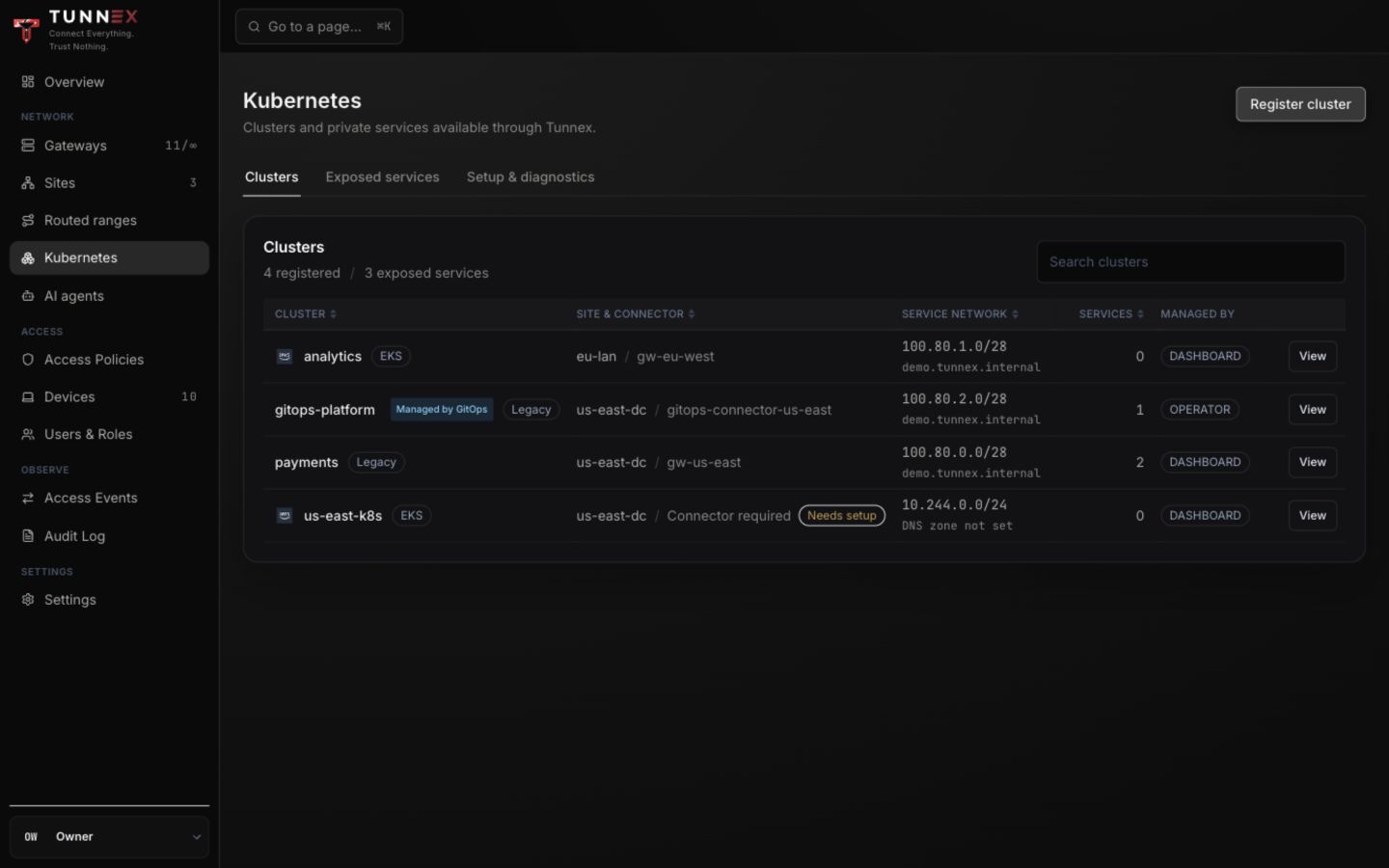
Section titled “1. Register a cluster”Open Kubernetes and select Register cluster.
The dialog is headed Enroll a Kubernetes cluster.
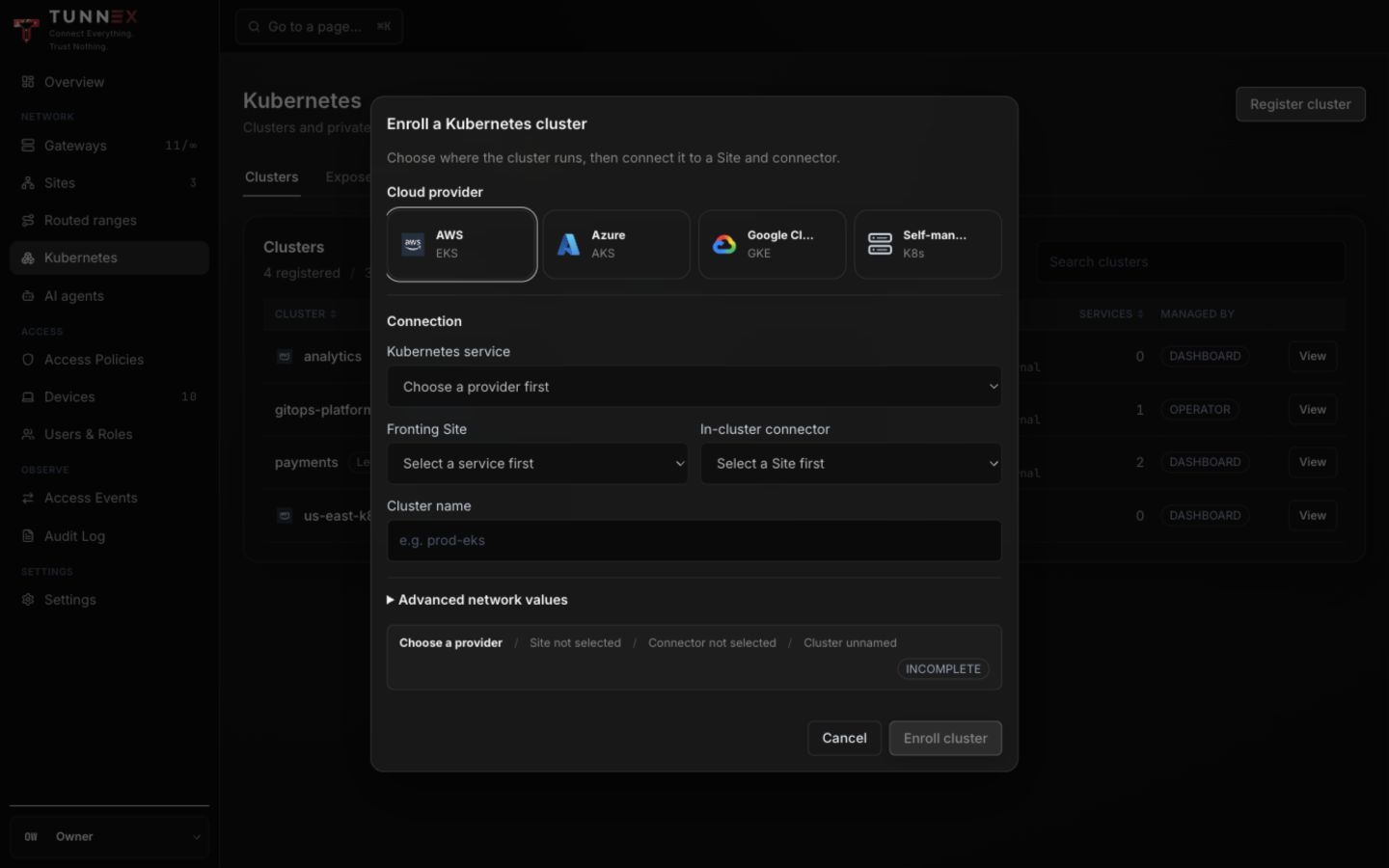
Complete the form in order:
- Choose Cloud provider: AWS, Microsoft Azure, Google Cloud, or Self-managed. This records context; it does not grant cloud access.
- Choose the provider’s Kubernetes service.
- Choose Fronting Site.
- Choose In-cluster connector.
- Enter Cluster name.
- Expand Advanced network values and verify the synthetic VIP range, Kubernetes Service CIDR, and DNS zone.
- Review Enrollment context until it no longer says
INCOMPLETE. - Select Enroll cluster.
Expected result: the cluster appears with its site/connector, service network, DNS zone, management source, and service count. Connector required means VIPs are not being programmed even if registration exists.
2. Expose a Service
Section titled “2. Expose a Service”Open a dashboard-managed cluster and select Expose service.
Connected inventory
Section titled “Connected inventory”When the connector reports inventory:
- Choose the Namespace.
- Select a verified Service.
- Under Exact ports to expose, check one or more port/protocol rows.
- Select Expose selected ports (N), where
Nmatches the checked rows.
Do not expose every reported port merely because it is discoverable. Each selection creates a separately reviewable destination.
Advanced manual entry
Section titled “Advanced manual entry”Use this only when connected inventory is unavailable. Expand Advanced manual entry.
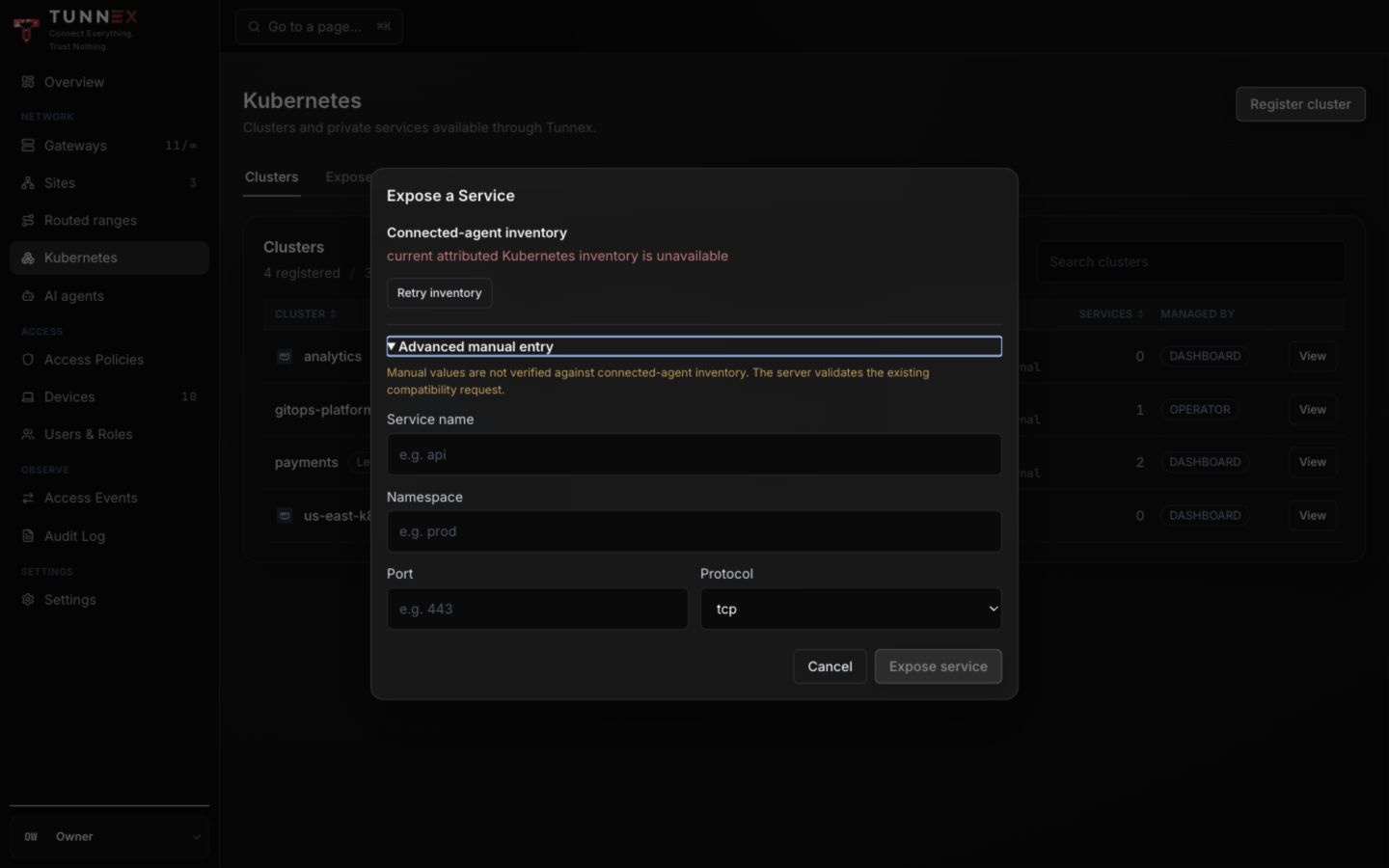
Enter:
- Service name;
- Namespace;
- one Port from
1to65535; and - Protocol,
tcporudp.
Select Expose service. Verify the assigned VIP and FQDN under Exposed services.
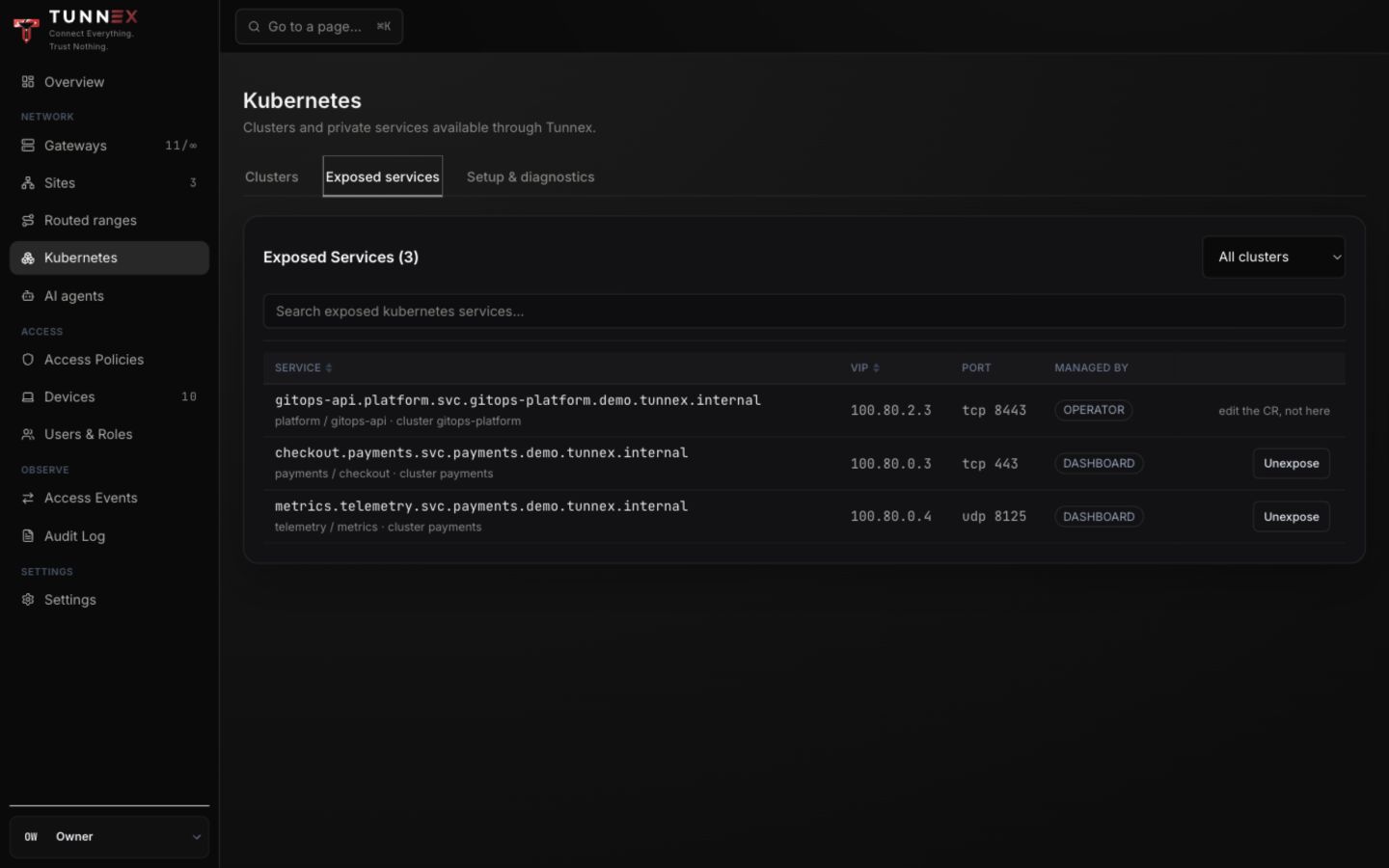
The current compatibility flow exposes one exact IPv4 VIP and one exact port per entry. Port ranges, all-ports exposure, and IPv6 service VIPs are not widened silently.
Copy the FQDN displayed by Tunnex; do not construct it from memory. For example,
a checkout Service in namespace payments, cluster payments, and DNS zone
example.internal is displayed as
checkout.payments.svc.payments.example.internal. Test that exact value from a
connected client:
getent hosts checkout.payments.svc.payments.example.internalnc -vz checkout.payments.svc.payments.example.internal 4433. Add access policy
Section titled “3. Add access policy”Exposure makes the destination routable; it does not grant a subject access. Open Access Policies → Add rule, choose the person/group/agent, then choose the exposed Service destination. Use Test access before enabling enforcement.
Setup and diagnostics
Section titled “Setup and diagnostics”Select Setup & diagnostics to review traffic path, connector HA activation, operator/connector setup, and operational visibility.
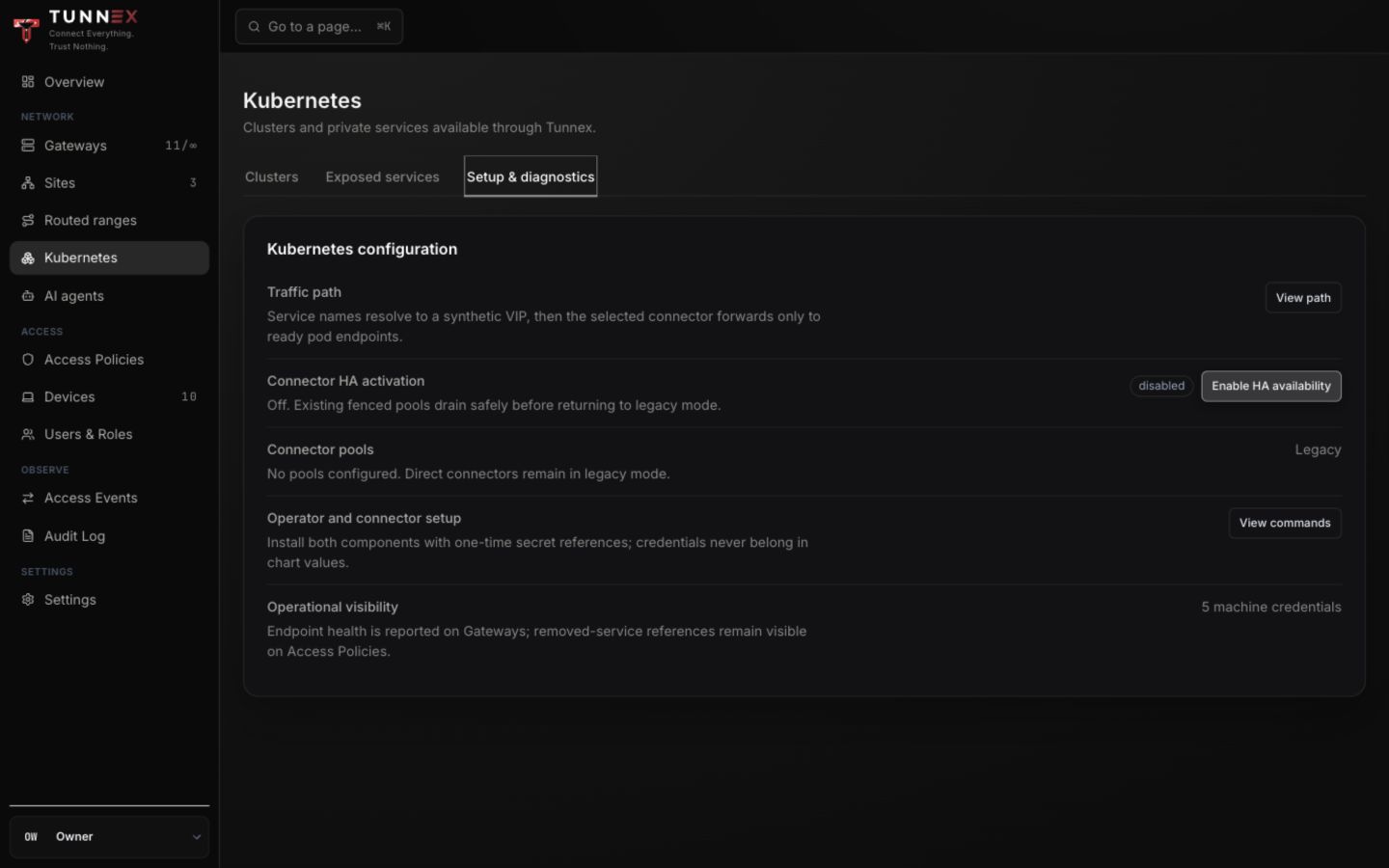
The displayed Helm snippets explain the connector path; they are not a complete GitOps-operator installation. The current repository does not publish a ready-to-install operator chart or registry image, and its operator source is not compatible with the connector-required registration flow in this console. The exact blocker is documented below.
GitOps operator credentials
Section titled “GitOps operator credentials”- Open Settings → Licence & plan.
- Under GitOps operator credentials, select Manage.
- Enter Credential name.
- Select Mint credential.
- Copy the one-time token directly into a Kubernetes Secret.
- Assign a human owner accountable for the credential.
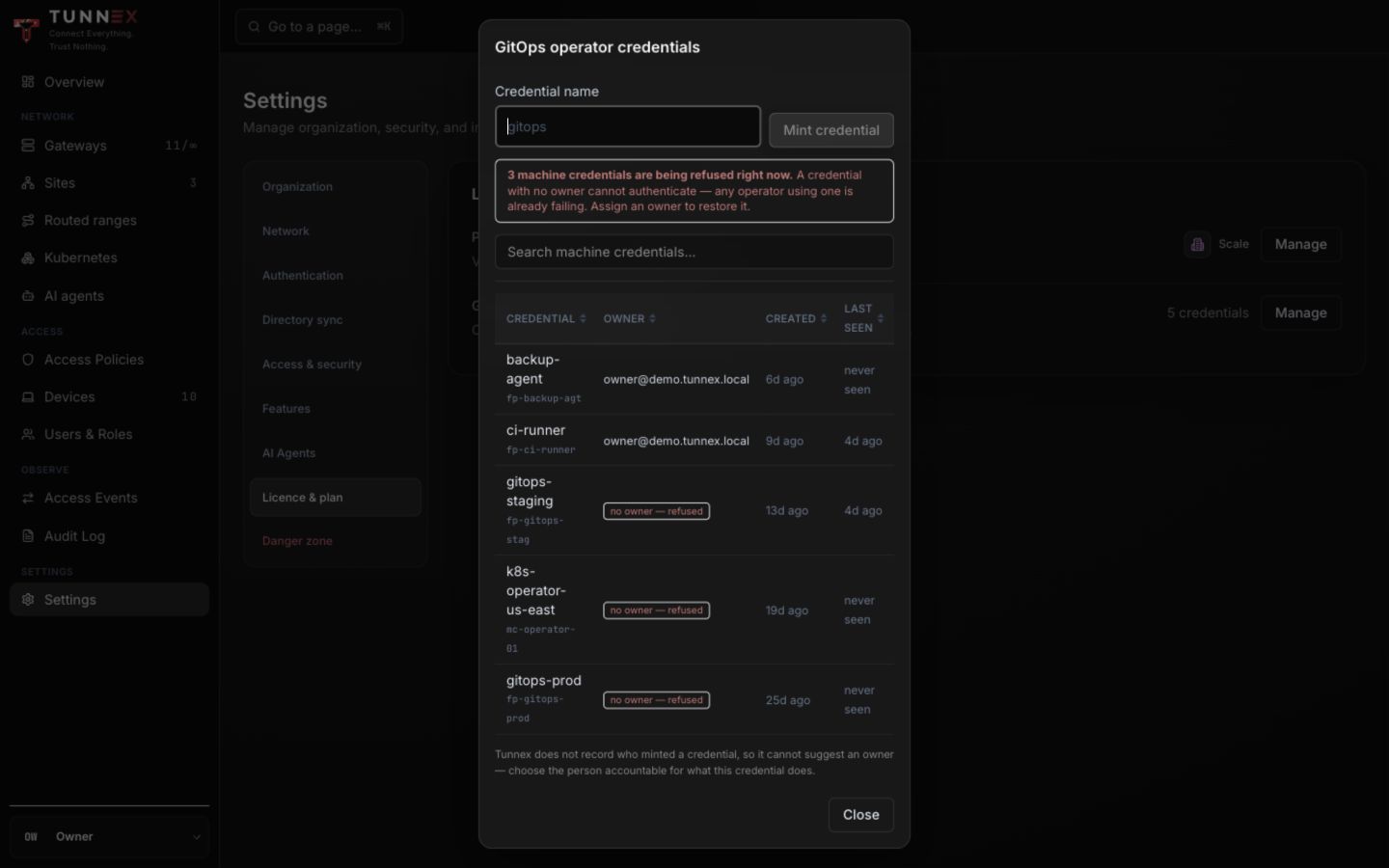
An ownerless credential is refused. Revocation stops future authentication; it does not remove a token already copied from an external secret store.
If you minted a credential while evaluating this incomplete path, revoke it in GitOps operator credentials and remove any copied Kubernetes Secret. Token revocation is audited, but it does not delete external Secret objects for you.
Deregister safely
Section titled “Deregister safely”Deregistration requires typing the cluster name. It removes the cluster, exposed Services, directly granting rules, and frees its VIP range, reserved DNS VIPs, and DNS zone.
Before opening the confirmation:
- Resolve or revoke every live Agent Access request scoped to the cluster.
- Remove immutable Agent Policy Template references to the cluster.
- Remove any other Kubernetes cluster scope that still depends on it.
- Record the relevant audit evidence and the exposed Services, connector-pool HA state, and retained inventory that will vanish.
The control plane refuses deregistration while any of those references remain. On success, the audit record includes deleted Service and grant counts, but the deleted connector/inventory state is not retained as recovery evidence. There is no undo or restore. Recovery means registering the cluster again, selecting a connector, re-exposing every Service, recreating grants/scopes, and validating traffic from a client.