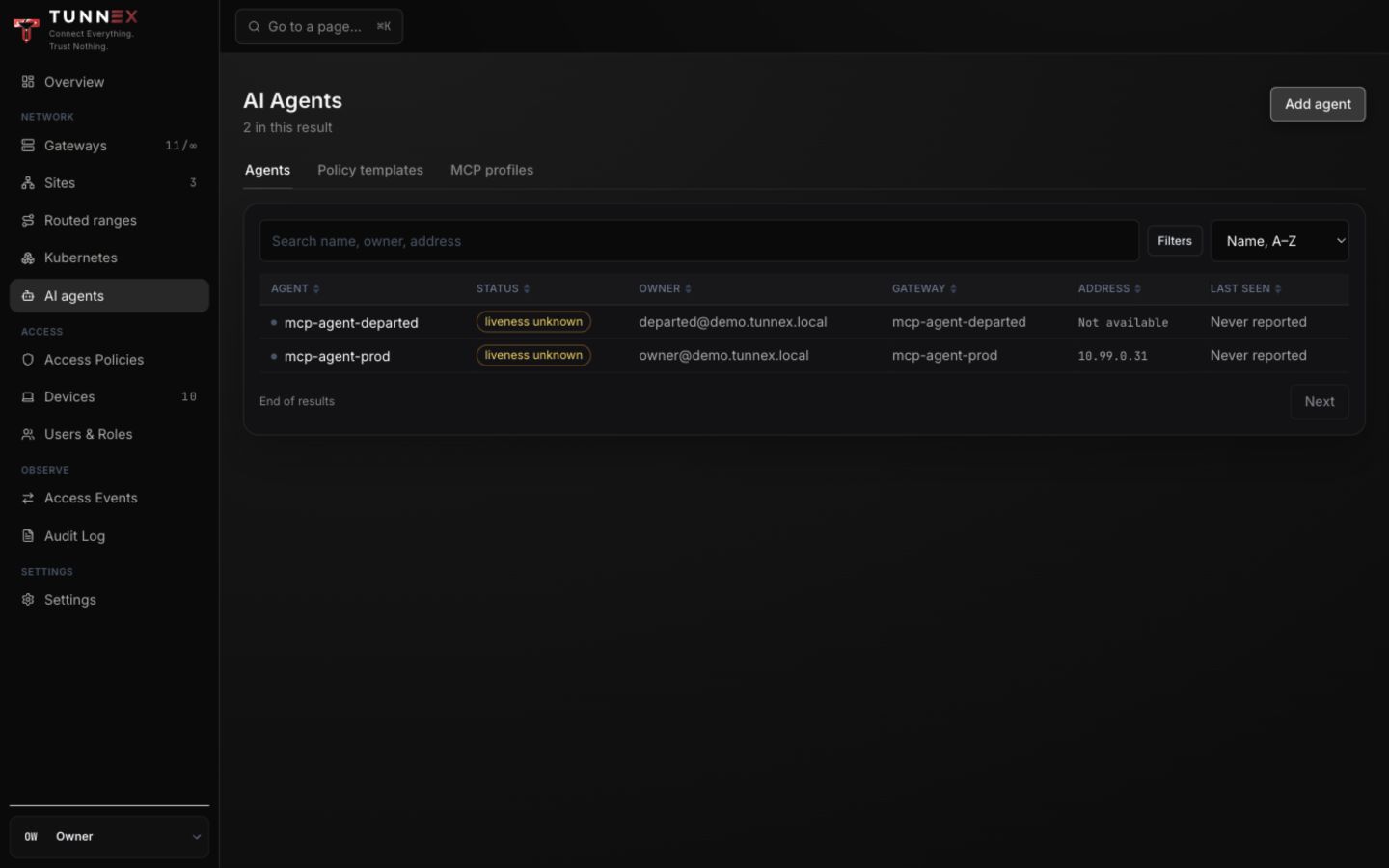
An AI agent is a named non-human network principal with a required human owner. Do not reuse a person’s device credential or leave automation ownerless.
Prerequisites
Section titled “Prerequisites”- Enterprise entitlement where agent features require it.
- An active gateway with a nonblank endpoint.
- A Linux/systemd-like agent host.
wireguard-tools,resolvconforopenresolv,curl,jq, andreleaseverifyon the host.- An owner accountable for the agent and an optional managing team.
Device approval can leave a new agent pending; agent enrollment does not bypass that organization control.
1. Start enrollment
Section titled “1. Start enrollment”Open AI agents and select Add agent.
In Step 1 of 3 — identity and gateway:
- Enter Agent name.
- Choose Gateway.
- Select Continue.
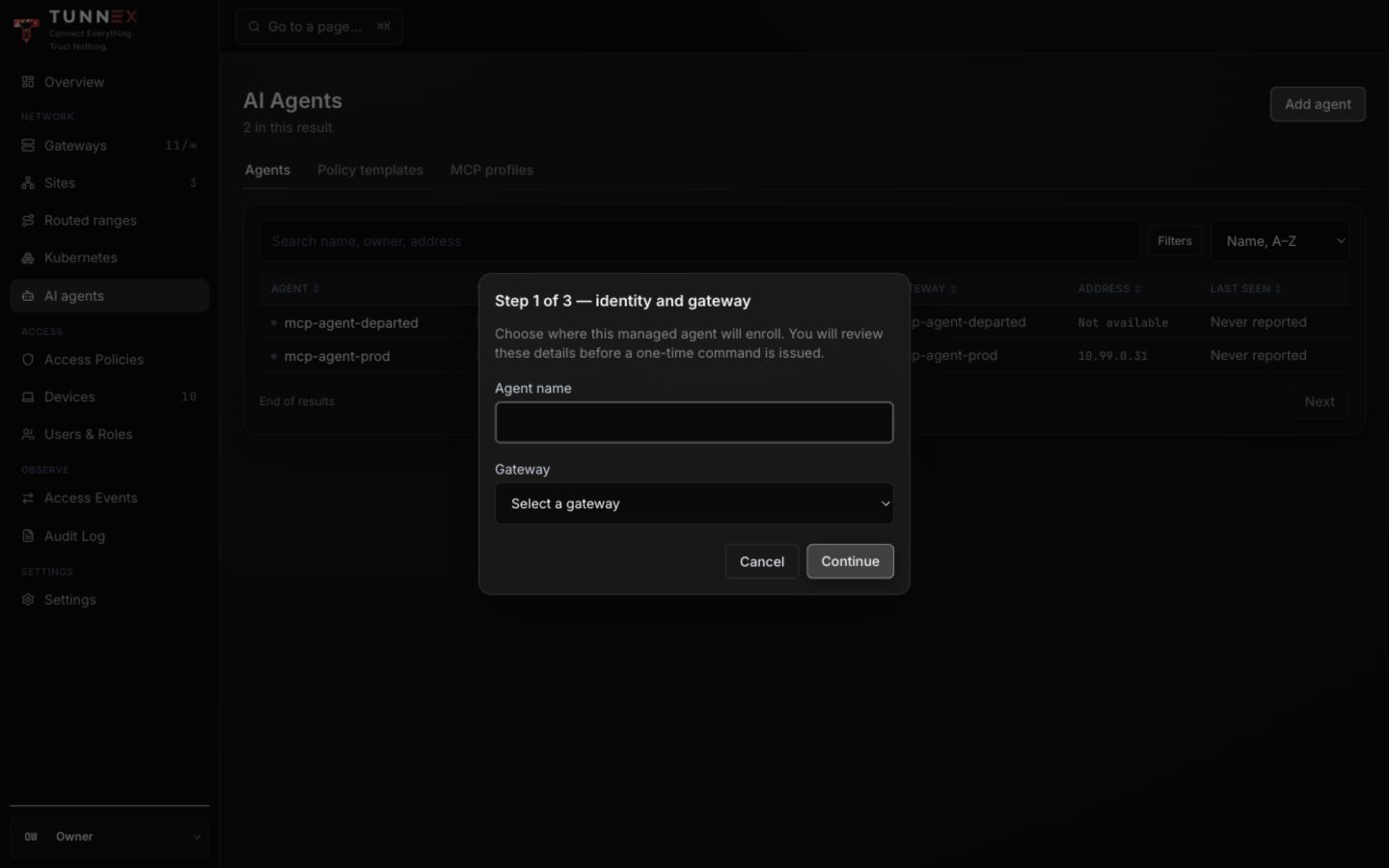
Blank-endpoint and otherwise ineligible gateways should not be chosen even if a stale row is visible.
2. Review before issuing a token
Section titled “2. Review before issuing a token”Step 2 of 3 — review bootstrap shows the exact agent name and gateway.
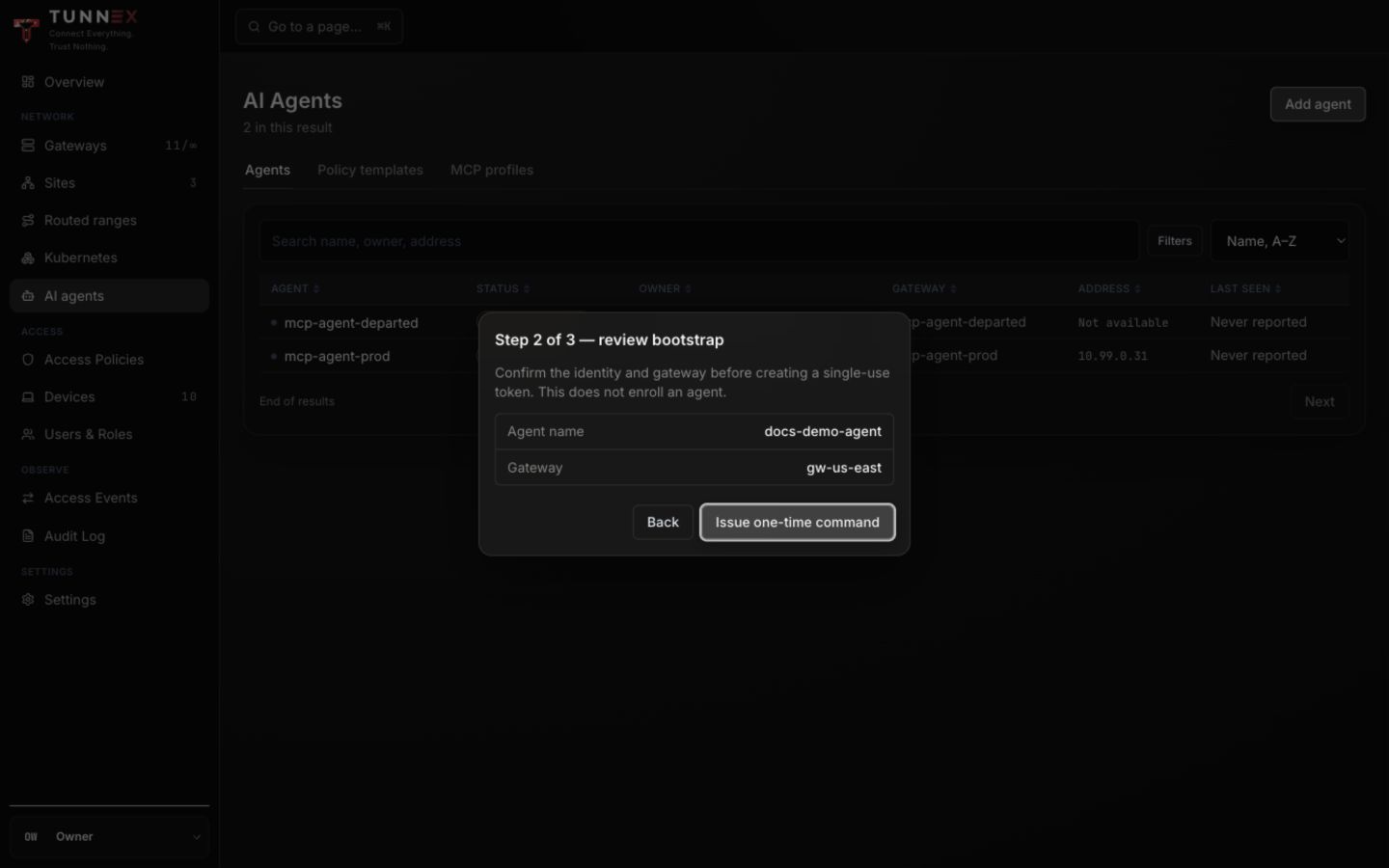
This step does not enroll an agent. Select Back if either value is wrong. Only after review, select Issue one-time command.
3. Run the one-time bootstrap
Section titled “3. Run the one-time bootstrap”In Connect your agent: run this on the agent’s host:
- Select Copy command or download
tunnex-agent.sh. - Transfer it directly to the intended agent host.
- Run it once with the requested privileges.
- Wait for the control-plane row to report state.
The bootstrap installs the managed runtime binary, systemd service, configuration, credential, and state. It refuses an existing managed install. The WireGuard private key remains on the agent host.
4. Verify and assign ownership
Section titled “4. Verify and assign ownership”Open the agent row. On Overview, check lifecycle, owner, managing group, last handshake, and profile actions.
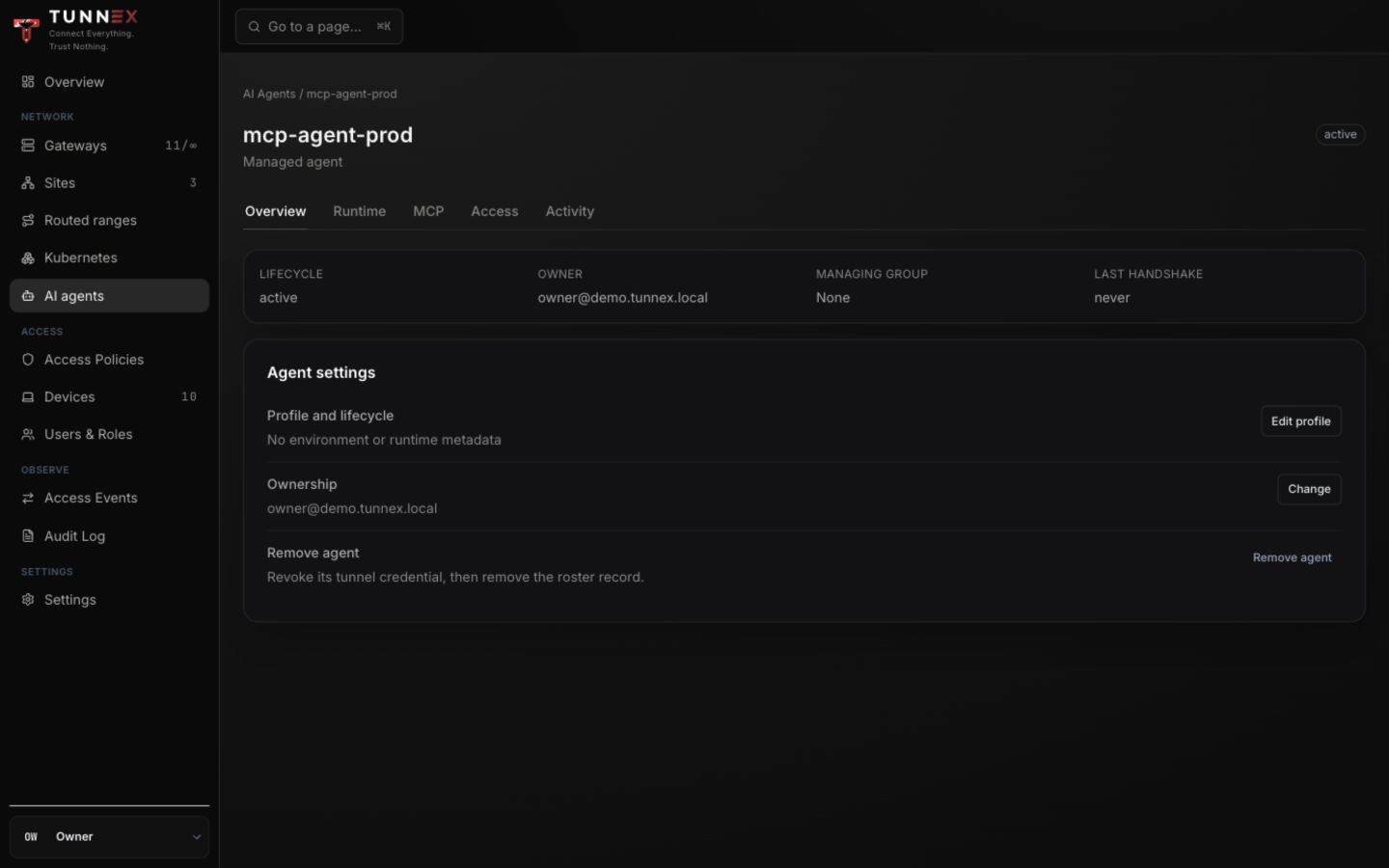
- Select Profile and lifecycle → Edit profile to set Environment, Runtime, and valid Labels JSON.
- Select Ownership → Change to assign the accountable person and managing group.
- Confirm the owner can be identified from the roster and audit log.
- Check Runtime only after the organization enables runtime synchronization.
Managing teams can maintain profile context where permitted, but cannot silently grant access, rotate credentials, or revoke outside their authority.
Runtime synchronization
Section titled “Runtime synchronization”Runtime synchronization is off by default. An owner enables it under Settings → AI Agents → Enable runtime synchronization only when the organization is ready for server-owned configuration delivery.
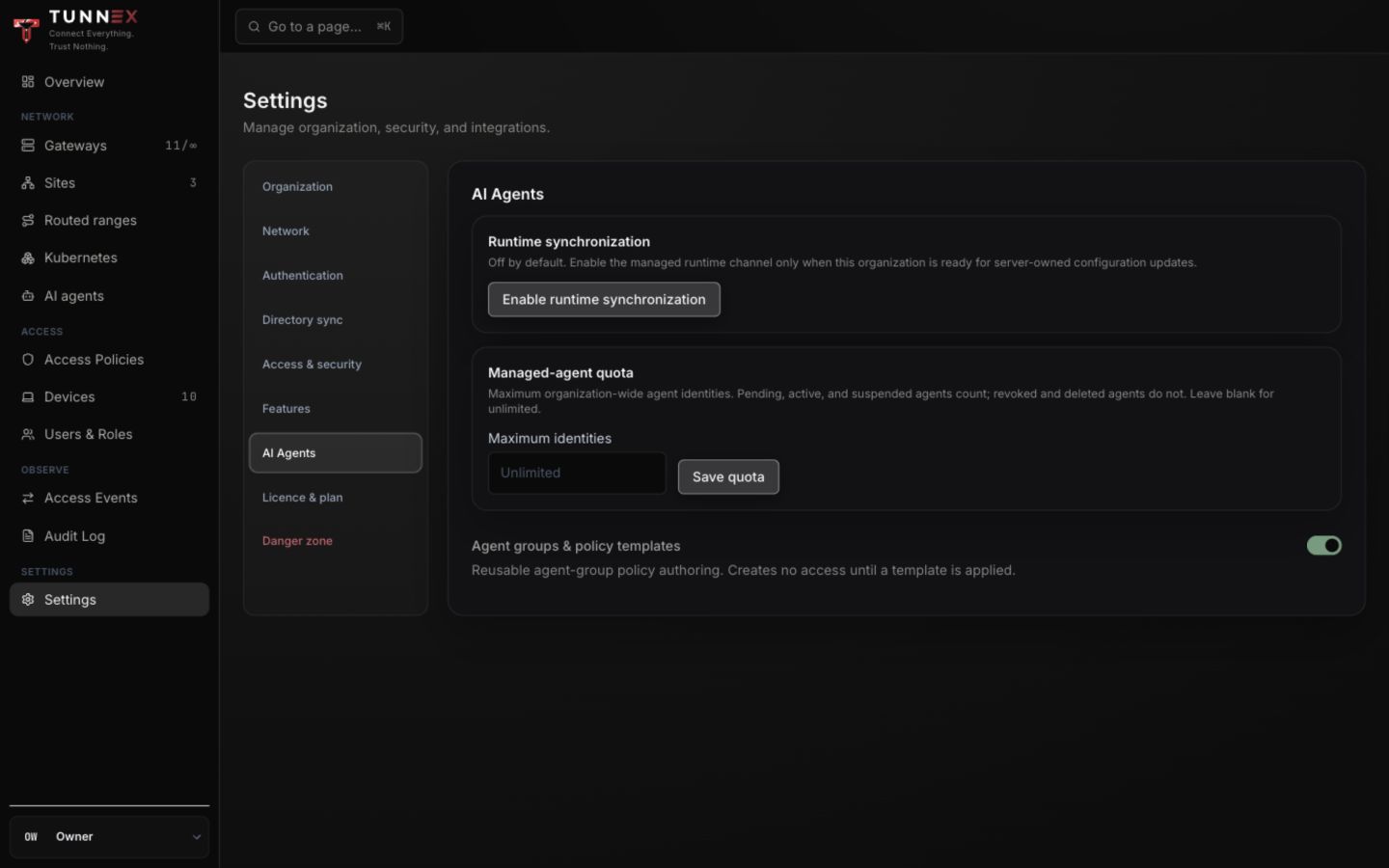
Configure Maximum identities if the organization needs a quota. Pending, active, and suspended agents count; revoked/deleted agents do not.
Agent groups and policy templates
Section titled “Agent groups and policy templates”Enable Agent groups & policy templates in the same settings section. Create agent groups under Access Policies → Groups; membership is managed there.
Open AI agents → Policy templates to create reusable, versioned intent and preview assignment impact.
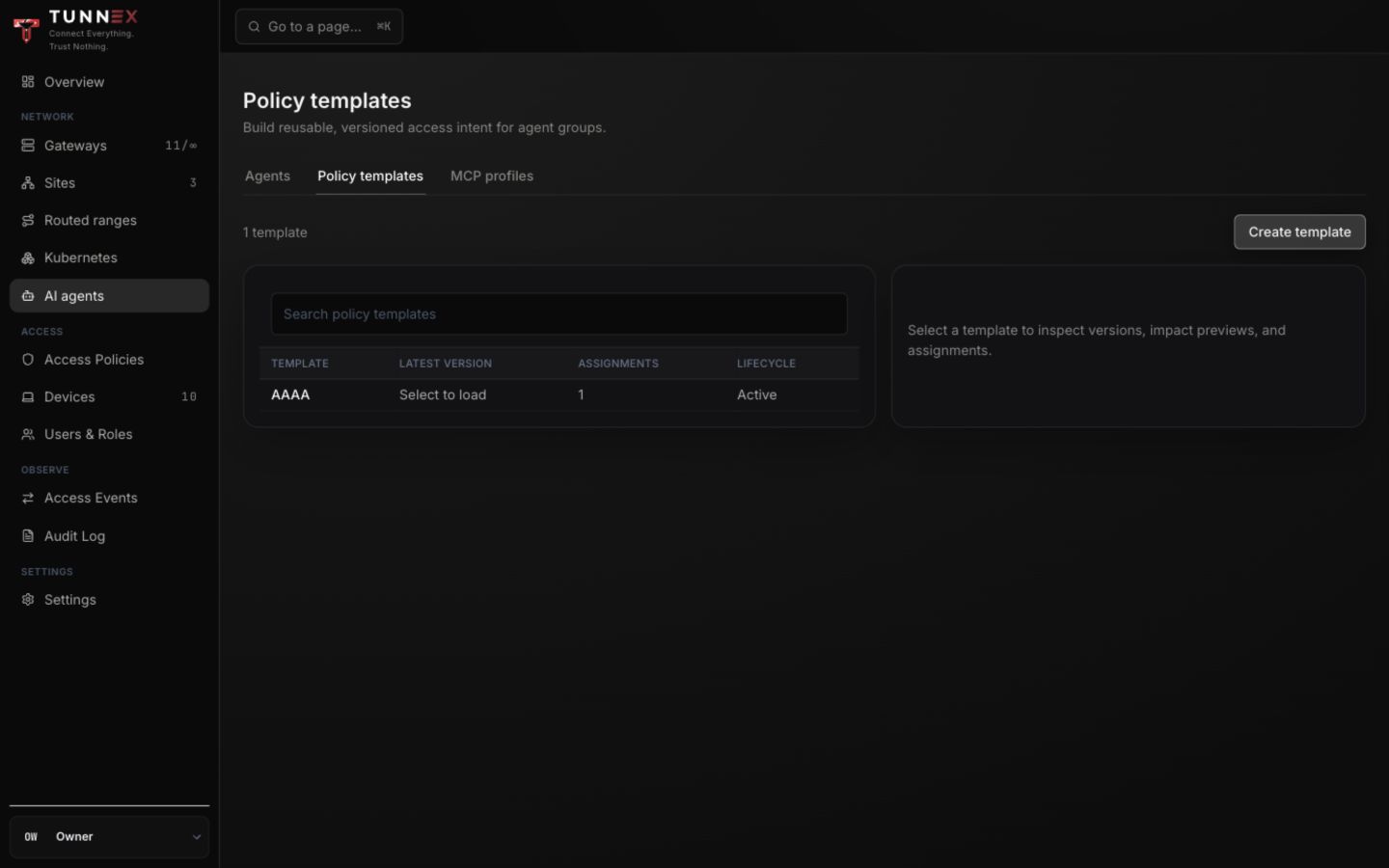
A template creates no access until it is applied. GitOps/template-managed rules must be changed through their owner, not hand-edited as unrelated dashboard rules.
Reusable MCP profiles
Section titled “Reusable MCP profiles”Open AI agents → MCP profiles. A profile names a credential-free absolute MCP upstream and is inherited through an Agent Group.
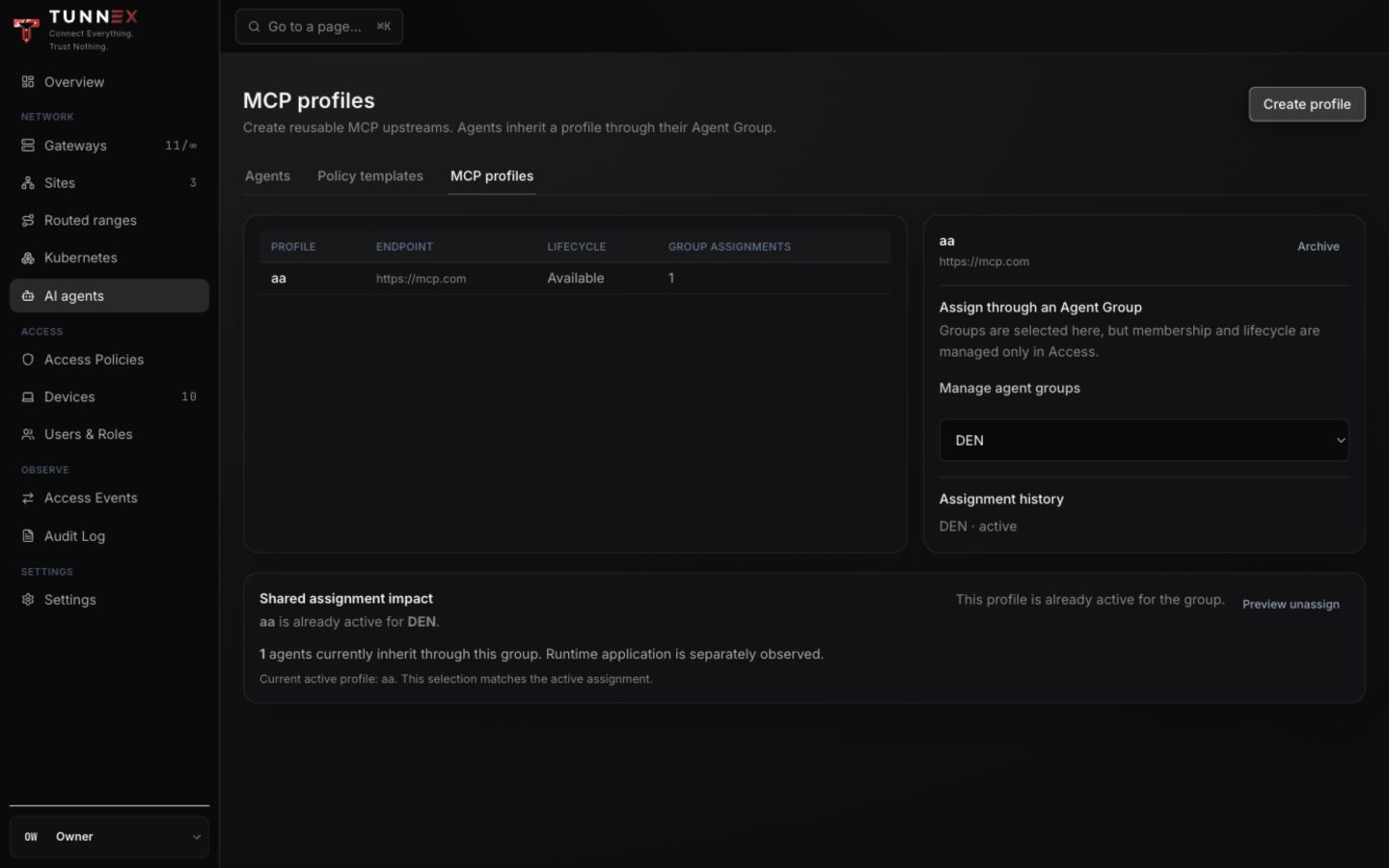
To create one:
- Select Create profile.
- Enter Profile name.
- Enter a credential-free absolute MCP endpoint.
- Select Create profile.
- Choose the Agent Group and preview the shared assignment impact.
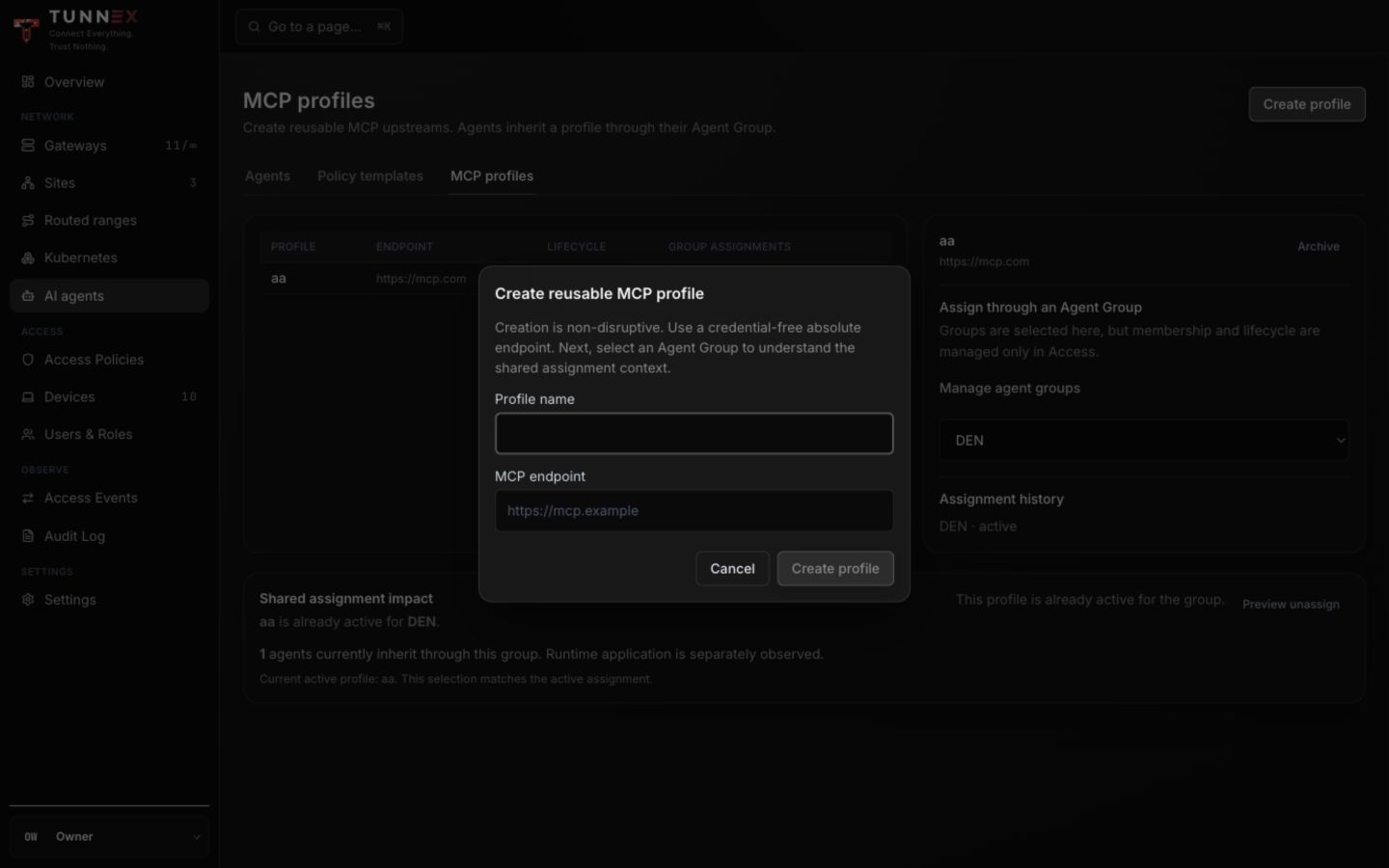
Do not place bearer tokens or URL credentials in the endpoint. Connection credentials belong in the protected OAuth/runtime path.
Suspend, rotate, revoke, remove
Section titled “Suspend, rotate, revoke, remove”- Suspend is reversible and stops the agent’s usable lifecycle without deleting history.
- Resume restores a suspended agent after the reason is resolved.
- Rotate credentials replaces authentication material without creating a different logical agent.
- Revoke is terminal for that credential.
- Remove agent revokes, then removes the roster row.
Removing an agent does not silently delete every orphaned policy grant. Review rules, groups, templates, MCP profiles, access events, and machine credentials.
Continue with MCP security before granting an upstream.