A device is a user-owned network principal. It has a protocol, tunnel mode, address, lifecycle state, and—when supported—posture facts.
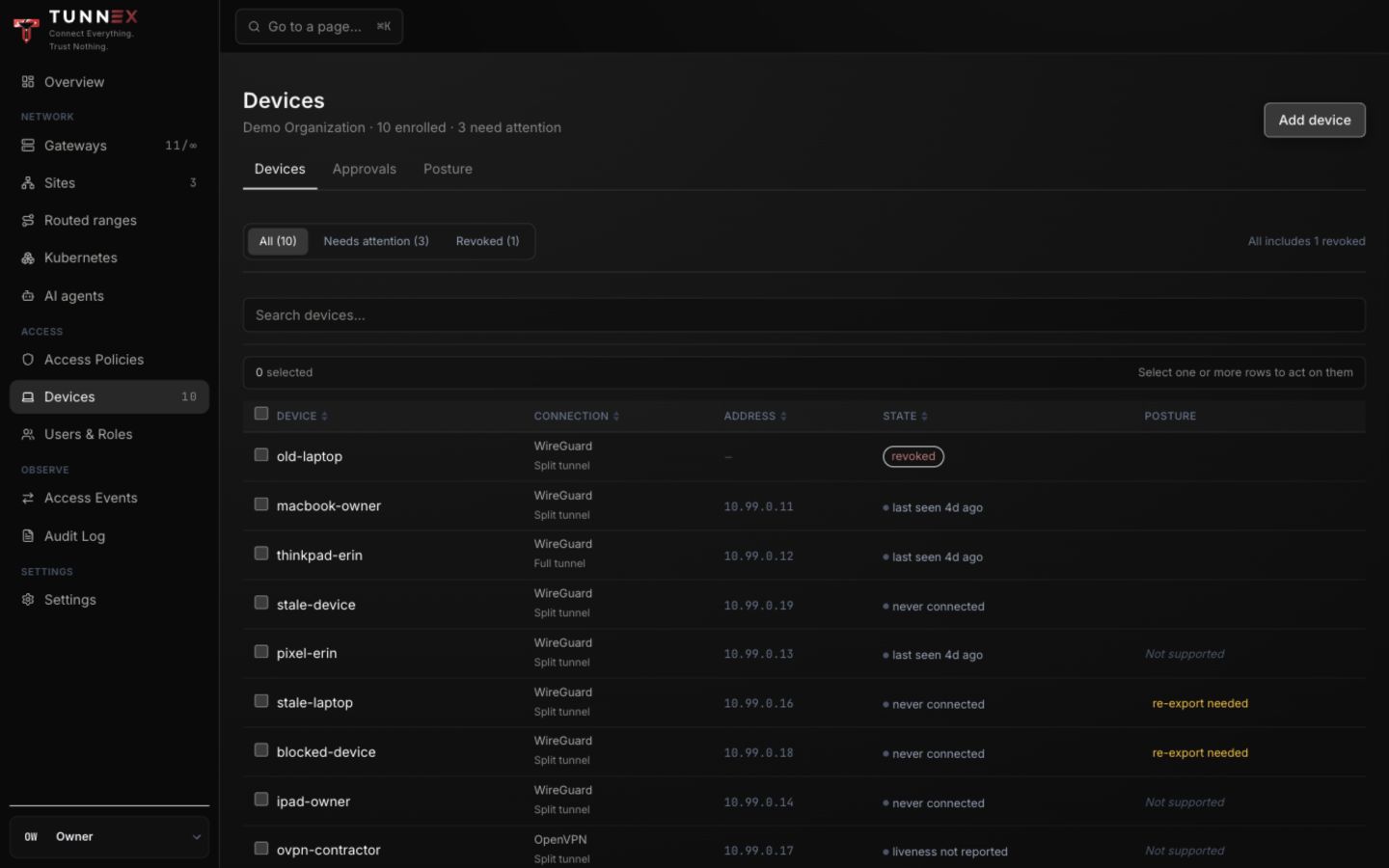
Synthetic dev inventory. Addresses and demo.tunnex.local identities are
fixtures; stale states are intentional.
Add a WireGuard device
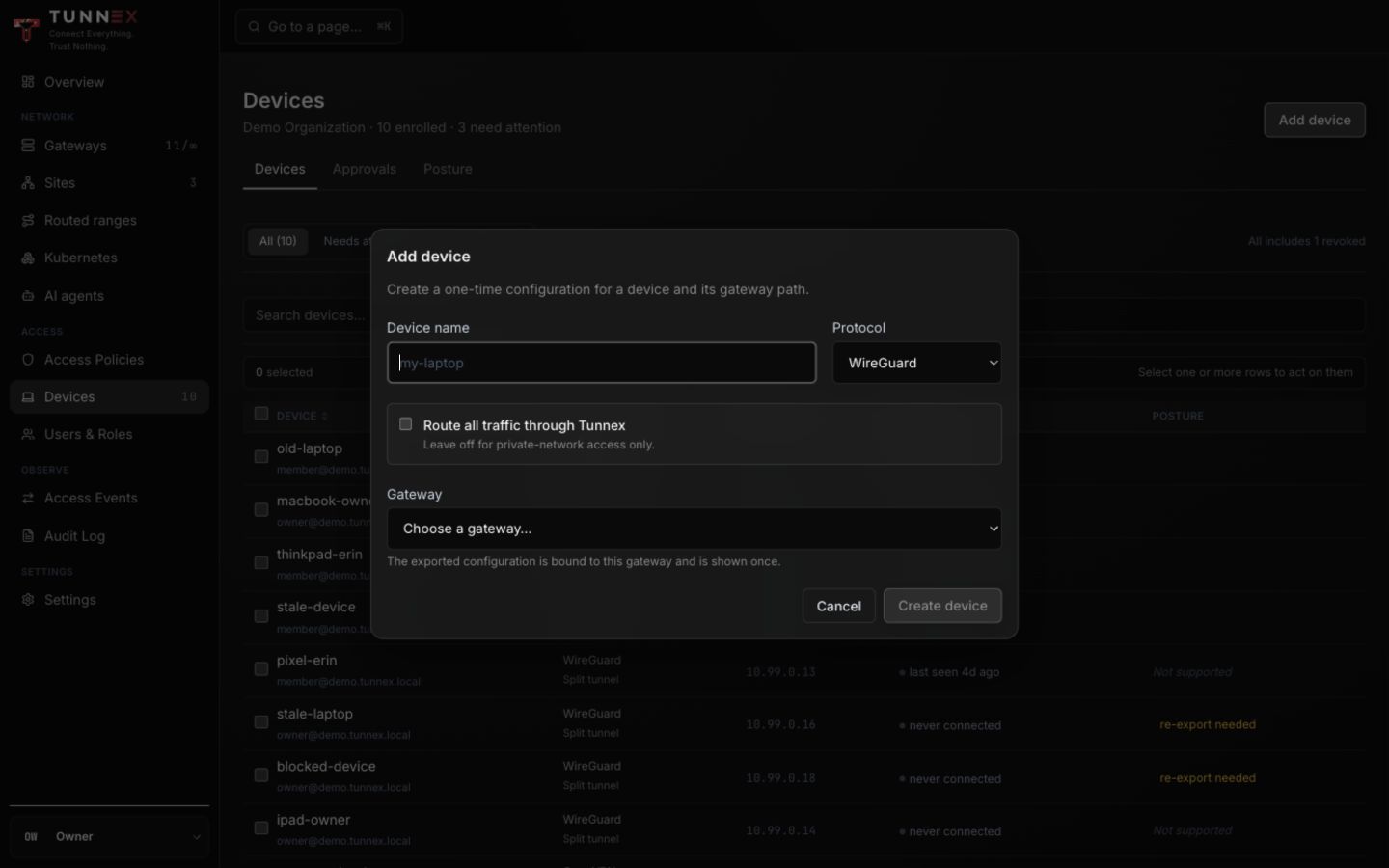
Section titled “Add a WireGuard device”- Open Devices.
- Select Add device.
- Enter Device name. Use a name the owner will recognize in a revocation
decision, such as
rajan-macbookrather thanlaptop. - Under Protocol, choose WireGuard.
- Check Route all traffic through Tunnex only when you intend full tunnel.
- Choose Gateway when more than one eligible gateway exists.
- Select Create device.
The result is headed Your configuration — shown once. Download the .conf
file or scan its QR code directly into the intended client. Do not capture that
screen: the file and QR contain the device private key.
Add an OpenVPN device
Section titled “Add an OpenVPN device”When Settings → Features → OpenVPN is enabled:
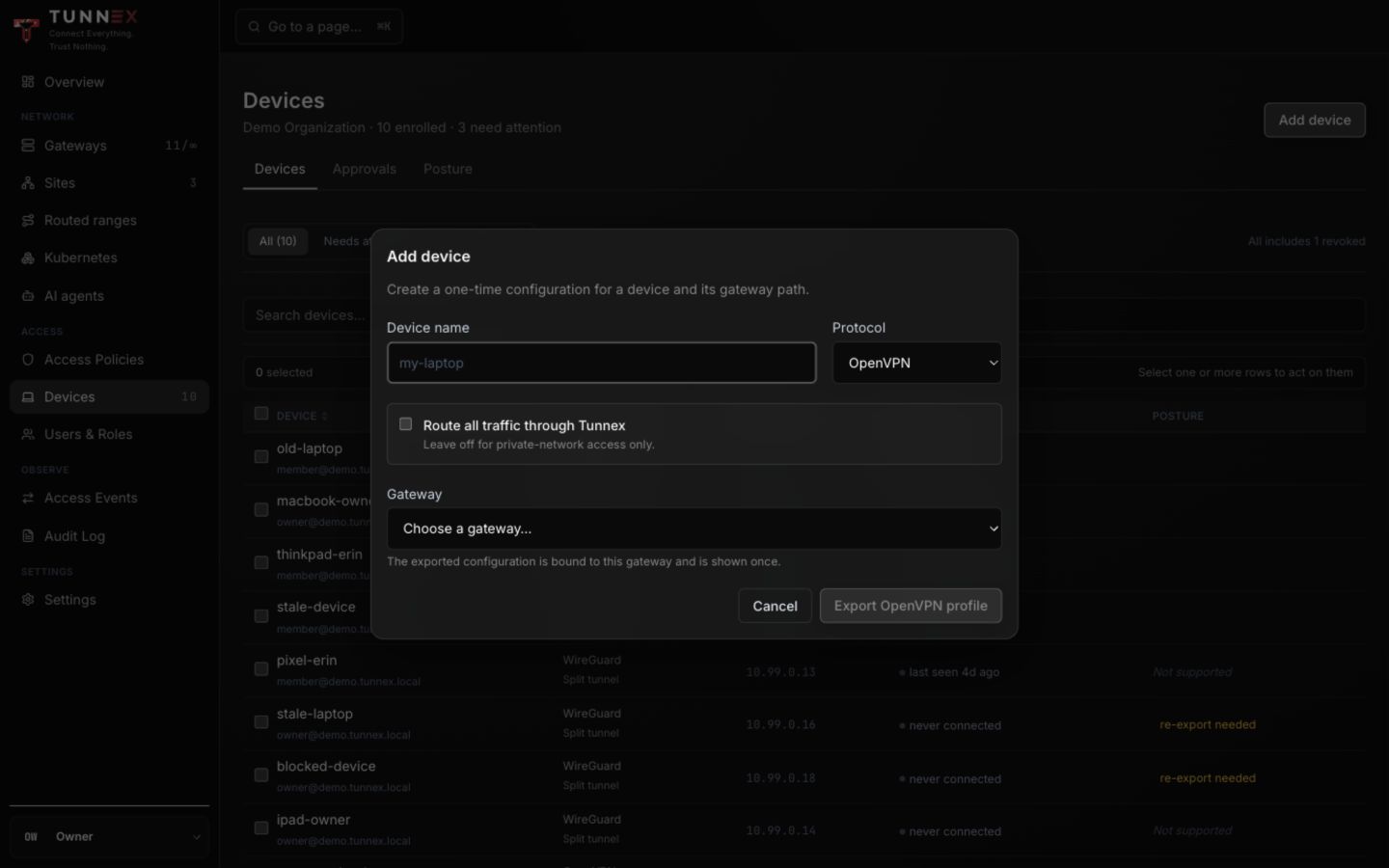
- Open the same Add device form.
- Choose OpenVPN.
- Choose tunnel mode and gateway.
- Select Export OpenVPN profile.
Download the one-time .ovpn profile and import it into an official compatible
client. Turning the OpenVPN feature off later does not revoke already issued
profiles; revoke the device explicitly.
The generated configuration is a one-time secret. Save/import it during the creation ceremony. Tunnex does not provide a later “show private key” action.
If writing or downloading fails after the server created the device, revoke that row and start again. Never reuse a partial or uncertain configuration.
Approval
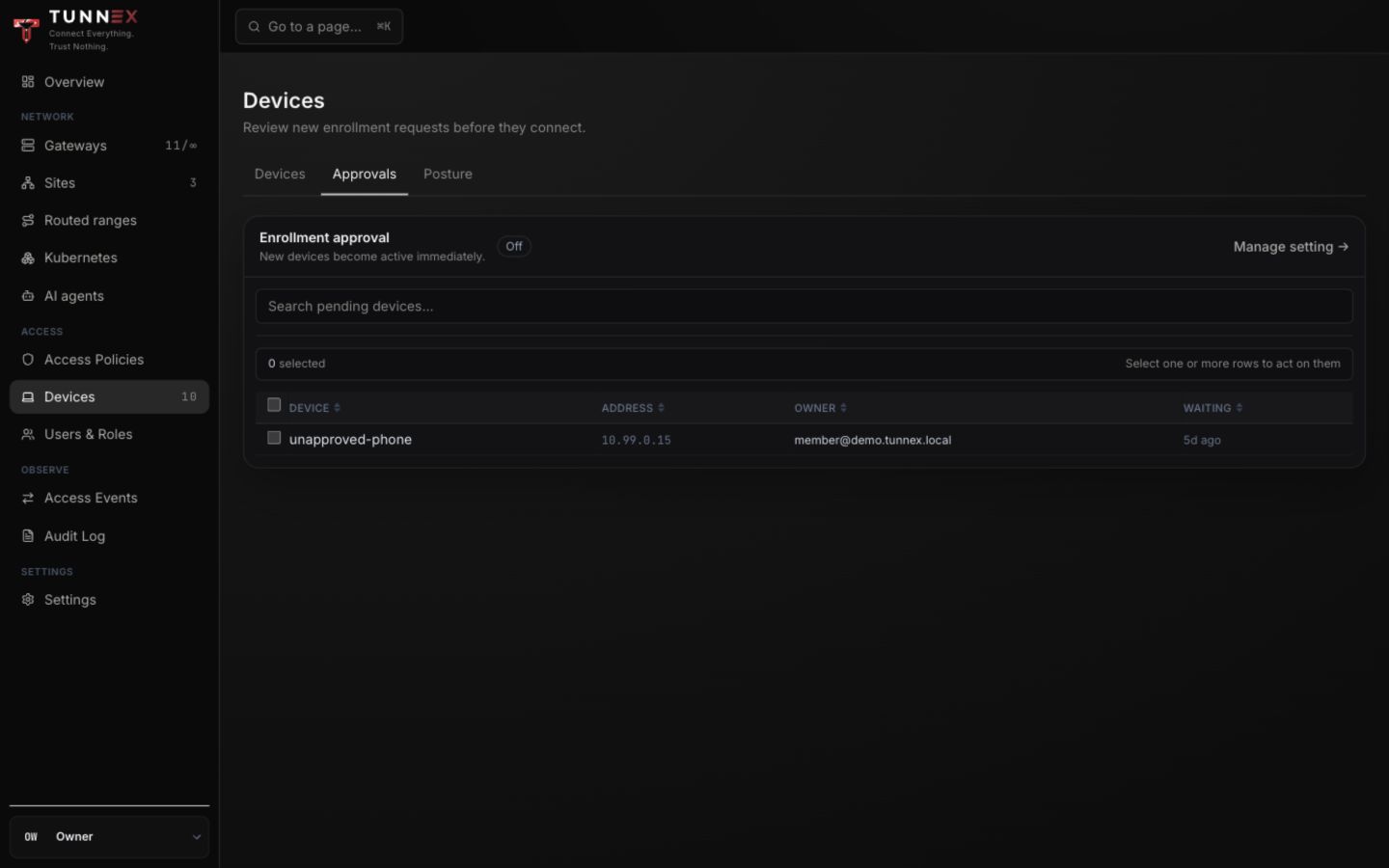
Section titled “Approval”When organization approval is enabled, a newly created device remains pending and is excluded from active gateway peers. An owner or administrator must review it in Devices → Approvals.
The Linux CLI currently does not call out this pending state after creation. If its configuration never handshakes, check the approval queue before debugging the network.
To use approval mode:
- Open Settings → Access & security.
- Turn on Require device approval.
- Enroll the device.
- Open Devices → Approvals.
- Verify requester, device, protocol, and time.
- Select Approve or Reject.
Turning approval on affects future enrollments; existing active devices are grandfathered.
Tunnel modes
Section titled “Tunnel modes”| Mode | Routes | DNS | Requirement |
|---|---|---|---|
| Split tunnel | Approved private ranges | Keeps local DNS unless private DNS is configured | Normal gateway |
| Full tunnel | IPv4 default and, when configured, IPv6 default | Uses tunnel DNS | Gateway must report egress NAT |
Full tunnel is refused when no egress-capable gateway is available. It is safer to refuse creation than to issue a profile that captures the default route and drops internet traffic.
Client choices
Section titled “Client choices”- Desktop client — browser auth, helper-managed routes, kill switch, posture, and managed lifecycle on macOS/Windows.
- Linux CLI — browser/device-code auth and a static
wg-quickconfiguration. - Official WireGuard client — imports the one-time configuration but does not add Tunnex desktop lifecycle or posture features.
Verify the first connection
Section titled “Verify the first connection”On a WireGuard client:
sudo wg showip routeCheck for a recent handshake, increasing transfer counters, and the expected private route. Then open Devices and confirm the row is active rather than pending, suspended, or revoked. A green row without an application test is not enough; connect to a representative private destination and verify the intended port.
Interpret device state
Section titled “Interpret device state”| State | Meaning |
|---|---|
| Pending | Waiting for administrator approval |
| Never connected | Issued but no handshake has been observed |
| Last seen … | Latest reported handshake/liveness time |
| Posture warning | A warn-mode check failed; traffic remains allowed |
| Posture blocked | A require-mode check failed; gateway access is removed |
| Revoked | Device is excluded from newly compiled gateway state |
| Re-export needed | Static material is stale after a change that cannot be repaired in place |
“Unknown” posture means absent or stale reporting. It is not proof of compliance, and it is not automatically blocked by the current posture model.
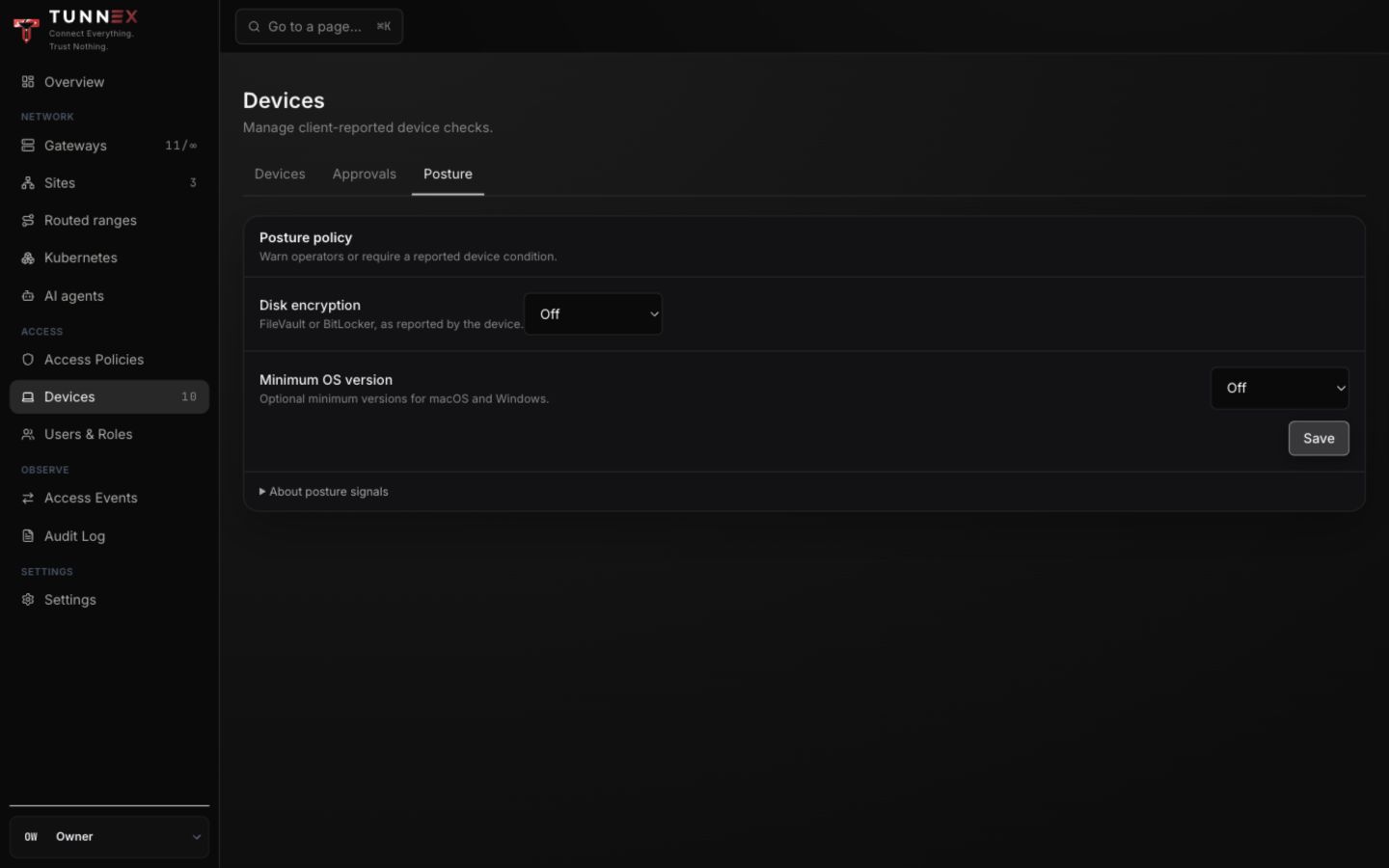
Managed macOS and Windows clients report these facts. Linux/CLI, iOS, Android, and imported static profiles show posture as not applicable or unknown. Warn records the issue without removing access; Require removes access when a noncompliant managed report is applied. Posture is client-reported, not hardware attestation.
Revoke safely
Section titled “Revoke safely”- Disconnect the client when possible.
- Revoke the device in the console.
- Confirm the affected gateways have reconciled the new policy revision.
- Remove the local profile/application state.
If a gateway is offline during revocation, it cannot receive the new state. Isolate that gateway or wait for confirmed reconciliation before treating the revocation as complete.
WireGuard peer removal is immediate once applied. OpenVPN revocation is bounded by its renegotiation timing rather than instantaneous peer removal.
Device limits and address pools
Section titled “Device limits and address pools”Pending devices count toward per-user limits. Creation can be refused for:
- device or agent quota;
- exhausted address pools;
- no active gateway;
- a gateway that is not ready; or
- missing full-tunnel egress.
Do not delete unrelated devices merely to make an unexplained error disappear; read the returned error code and use Troubleshooting.